10.1-Inch Industrial HMI Display Selection
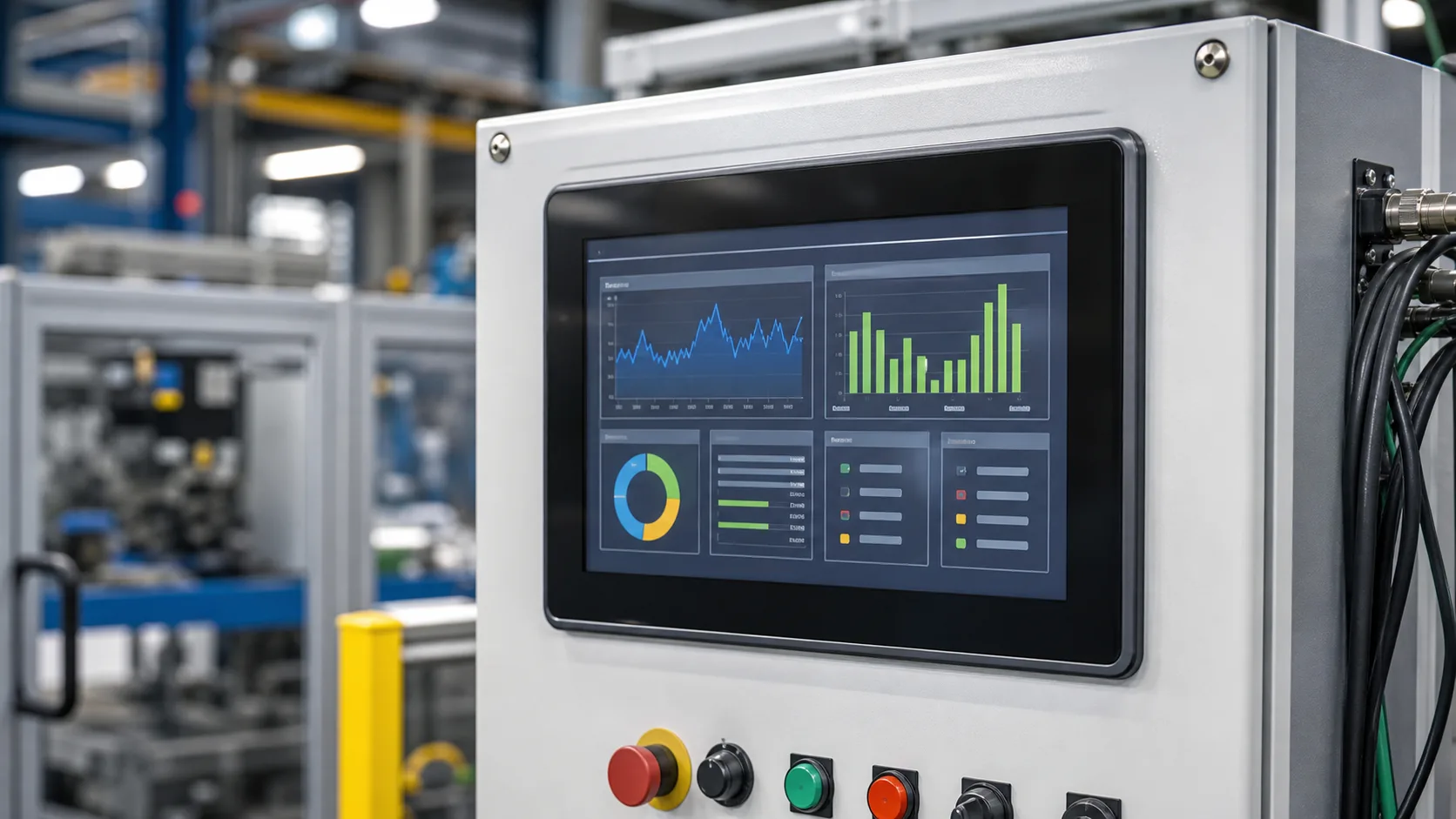
A 10.1-inch industrial HMI display is large enough for serious machine control but still small enough for many cabinet doors, operator stations, and equipment panels. It can show trends, recipes, alarms, equipment status, service pages, and multi-zone layouts without forcing every function into a crowded menu. For machine builders, this size often becomes the practical step up from 7 inches when the interface needs more context.
The decision should not start with size alone. A 10.1-inch display affects enclosure layout, processor choice, cable routing, power budget, heat, touch behavior, and long-term service planning. Treat it as a system component, not a screen that can be swapped late in the project.
When 10.1 inches makes sense
This size fits packaging lines, inspection machines, energy systems, production test equipment, process skids, transportation terminals, and larger local control panels. It is useful when the operator needs to compare more than one value at a time. For example, a machine page might show current state, alarm banner, recipe name, speed, production count, and a small trend chart on the same screen.
If the HMI only shows a few values and simple settings, 10.1 inches may be more than necessary. A 5-inch industrial TFT or 7-inch panel could reduce cost and enclosure size. If the HMI shows camera feeds, dense diagnostics, or many simultaneous zones, 10.1 inches may be the minimum comfortable size.
Resolution and UI layout
Common 10.1-inch resolutions include 1024x600 and 1280x800. Both can work well, but the software team should design for the actual viewing distance. Higher resolution is not automatically better if the UI uses small text that operators cannot read while standing.
A usable HMI layout often has a persistent header, clear machine state, an alarm area, main process content, and navigation. Extra space should not turn into decoration. Operators need speed and confidence, and a predictable layout usually beats a busy dashboard.
Brightness and optical stack
Indoor factory HMIs may work well around 400 to 700 nits. If the display is near windows, inspection lights, outdoor doors, or reflective machine surfaces, more brightness or better optical treatment may be needed. Anti-glare cover glass and optical bonding can improve perceived contrast, especially when the display sits behind a protective lens.
The finished stack matters more than the bare LCD. A display that looks bright without cover glass may lose clarity after touch, glass, air gap, and bezel are added. Review final assemblies under real lighting before approving the module.
Touch technology
Projected capacitive touch is common for modern 10.1-inch HMIs because it supports sealed glass fronts, smooth interaction, and multi-touch capability. The controller should be tuned for the cover glass thickness, grounding, glove type, water exposure, and nearby electrical noise. Cabinets with drives, relays, and long cable runs can create conditions that do not appear on a quiet bench.
Resistive touch may still be used in some equipment where pressure input, heavy gloves, or low cost matter more than appearance. It is less common for new premium HMIs, but it remains a practical option in certain environments. The best choice follows the operator and cleaning process, not the marketing trend.
Interfaces and cable routing
Ten-inch displays often use LVDS, MIPI DSI, eDP, or controller-board interfaces. LVDS is common in industrial HMIs because it handles larger panels and cable runs well. MIPI can be efficient with modern processors, but routing and driver support need attention. Controller boards using HDMI or similar inputs can simplify integration but add another supply and firmware dependency.
Cable movement is an underrated issue. A cabinet door HMI may flex the cable every time the door opens. A swing-arm HMI may move daily. Choose connectors, cable support, and strain relief that fit the mechanical use. Interface choice and mechanical design should be reviewed together, similar to the planning described for PLC cabinet door HMIs.
Processor and software fit
A 10.1-inch HMI usually needs a stronger graphics platform than a small indicator display. The software may include trend charts, language files, network status, user levels, service logs, and remote access. Confirm that the processor can drive the resolution smoothly and that the UI framework is stable for long-term use.
Boot time also matters. Operators may expect the screen to show machine state quickly after power is applied. If the display stays blank while the controller starts, provide clear boot feedback and fail states. A frozen or dark screen can be more confusing than a simple message.
Thermal and lifetime planning
A larger backlight creates more heat and uses more power. In a sealed cabinet, heat from the display joins heat from power supplies, PLCs, drives, and communication modules. The backlight lifetime rating should be reviewed at expected brightness and temperature, not only at room conditions.
Automatic dimming can help. A factory HMI may not need full brightness at night or during idle periods. Dimming reduces heat, extends backlight life, and improves comfort. This overlaps with broader industrial TFT backlight lifetime decisions.
Maintenance and replacement
Think about service before the first production build. Can the display be replaced without damaging the gasket? Are screws accessible? Does the replacement require touch calibration or software settings? Are cable lengths and connector locks documented? These details affect downtime years later.
For equipment sold over many years, ask suppliers about lifecycle, PCN policy, compatible replacements, and whether the touch controller or LCD cell may change. A 10.1-inch display is visible to customers. Even a small change in color, brightness, or touch feel can create support questions across a machine fleet.
Validation checklist
Test the display under normal operating light, with real gloves, with the final cover glass, and with motors and drives running. Check alarm readability, touch accuracy near edges, night brightness, boot behavior, communication loss states, and service screens. Include operators and maintenance staff in the review.
The strongest 10.1-inch HMI choice is rarely the panel with the highest resolution or brightest datasheet number. It is the one that fits the task, stays available, survives the environment, and gives operators clear information every shift.
FAQ
Is 10.1 inches a good size for machine HMIs?
Yes. It is a strong size for machines that need trends, recipes, alarms, and service pages without moving to a full panel PC.
Is 1024x600 enough for a 10.1-inch HMI?
It can be enough for many industrial interfaces. Higher resolution helps only when the UI and processor can use it without making text too small.
Which interface is best for a 10.1-inch TFT?
LVDS is common for industrial designs, while MIPI, eDP, and controller boards can work depending on processor support and cable layout.