12.1-Inch Rugged TFT Displays for Control Panels
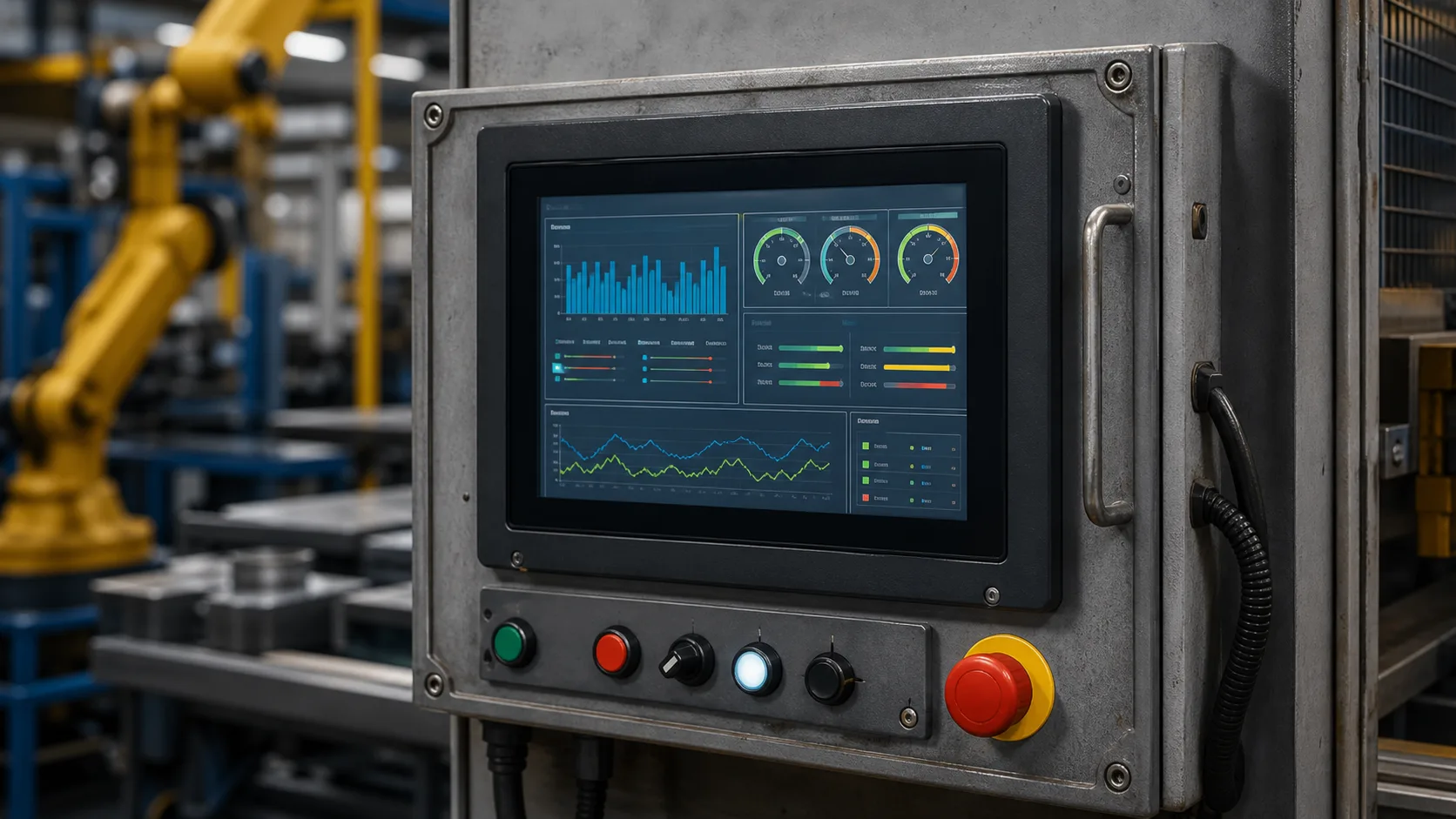
A 12.1-inch rugged TFT display is usually chosen when a control panel needs more than basic status and settings. The extra screen area supports richer diagnostics, multi-zone views, trends, camera windows, maps, alarm lists, and maintenance pages. It is common in control rooms, heavy equipment, transportation systems, marine panels, production lines, and larger industrial machines where a 10.1-inch industrial HMI no longer gives enough room.
This size brings benefits, but it also raises expectations. Users can see more, so they expect the interface to be organized. The panel is larger, so mechanical support, impact protection, thermal behavior, and service access become more important. A 12.1-inch rugged display should be evaluated as part of the full control panel.
Why choose 12.1 inches
The main reason is context. A small HMI may show one machine state at a time. A 12.1-inch panel can show equipment state, alarms, trend data, and navigation together. This helps operators make decisions faster, especially when the system has many devices or zones.
For example, a water treatment skid may show pumps, valves, tank levels, alarms, and historical trends. A vehicle dashboard may show speed, camera feed, warning state, and system health. A factory operator station may show line overview, current recipe, reject counts, and maintenance messages.
Resolution and readability
Common 12.1-inch resolutions include 1024x768, 1280x800, and other industrial formats. The best resolution depends on the information density and viewing distance. Higher resolution helps with detailed graphics, but only if the UI uses readable font sizes and clear spacing.
Avoid filling the screen simply because space is available. A large display can become harder to use than a small one if it contains too much information. Prioritize the main workflow, then provide drill-down pages for detail.
Rugged mechanical design
Larger panels need better support. The cover glass, LCD, frame, gasket, and mounting points should distribute stress evenly. Uneven mounting pressure can cause light leakage, touch issues, or visual distortion. If the panel is mounted in a door or vehicle dashboard, vibration and flex should be reviewed carefully.
Impact protection may require strengthened glass, thicker cover lenses, reinforced bezels, or bonding. If the product needs a defined impact rating, review the same stack-level issues covered in IK10 display design. A strong glass sheet is not enough if the edge support is weak.
Brightness and viewing angle
Large control panels are often viewed from more than one position. Operators may stand, sit, move, or look across the panel from the side. Wide viewing angle TFT technology is usually important. IPS-type panels are often preferred because color and contrast remain more stable off-axis.
Brightness should match the site. Indoor panels may not need extreme luminance, but bright control rooms, vehicle cabins, outdoor shelters, and marine environments can require higher brightness. Anti-glare glass and optical bonding may improve readability more effectively than simply increasing backlight power.
Touch and front surface
Projected capacitive touch works well for many 12.1-inch rugged panels, especially when a sealed glass front is required. It supports modern UI behavior and is easier to clean than older membrane surfaces. The controller must be tuned with the final glass thickness, bezel design, grounding, and cable routing.
Large screens can invite smaller touch targets because designers feel they have room. Resist that temptation. Industrial users may wear gloves or operate the panel while the machine is moving. Buttons should remain large, spaced, and clear. For safety-related actions, require confirmation or hardware interlocks.
Interface planning
At this size, LVDS, eDP, HDMI controller boards, and sometimes MIPI bridge solutions are common. The interface decision should account for cable length, EMC, processor support, display timing, and service requirements. If the display is mounted away from the main board, differential interfaces and secure connectors become more important.
Large displays can also make software performance more visible. Slow page changes, lagging touch response, or tearing will be noticed quickly. Test the final UI, not only color bars or a static demo.
Thermal and power issues
A 12.1-inch backlight can generate meaningful heat. In sealed enclosures, heat from the display combines with other electronics. The design should include backlight lifetime, brightness derating, ventilation paths, and automatic dimming. In outdoor or vehicle use, direct sun through cover glass can raise the front temperature beyond ambient.
If the panel must run continuously, review backlight lifetime at the expected brightness. Running at maximum brightness all day may shorten life. Dimming during idle periods can reduce heat and improve long-term consistency.
Service and lifecycle
A rugged control panel may remain in the field for many years. Ask whether the same LCD cell, touch sensor, controller, cover glass, and mechanical outline will remain available. If replacements are needed, they should fit without changing the enclosure or software.
Service procedures should be clear. A large bonded display may be expensive to replace, while an air-gap design may be easier to service but less readable. Decide which tradeoff fits the product. For high-value equipment, a more durable bonded assembly may reduce field complaints even if replacement cost is higher.
Details buyers should document
Useful specifications include more than size and brightness. Document the operating environment, cleaning process, cable length, mounting angle, viewing distance, glove type, and replacement expectation. This level of detail shows real engineering understanding and helps suppliers recommend a suitable module.
The display should also be reviewed with actual operators. A 12.1-inch panel may look excellent in a design review but still fail if alarm colors are unclear, night brightness is too high, or maintenance pages are hard to find.
Field approval details
Before release, review the panel from the actual operator position. Sit or stand where the user will be, with lights, guards, doors, and nearby equipment in their final positions. Check whether the user can read alarms without leaning forward and whether touch targets are reachable without stretching. Large displays sometimes encourage wide layouts that look good in a mockup but place important controls too far from the natural hand position.
Spare parts should also be considered. A rugged 12.1-inch panel may be installed in expensive equipment where downtime is more costly than the display itself. Keep replacement instructions, gasket part numbers, cable routing photos, and approved brightness settings with the service documentation.
FAQ
When should I use a 12.1-inch TFT instead of 10.1-inch?
Use 12.1 inches when operators need more simultaneous information, larger trend views, camera feeds, or multi-zone control.
Does a 12.1-inch rugged display need optical bonding?
Not always, but bonding is useful for glare, vibration, impact strength, and moisture control in demanding applications.
What is the main risk with large HMI displays?
The main risk is treating the larger screen as permission to add clutter. Clear hierarchy and readable controls are still essential.