3.5-Inch Industrial TFT Displays for Handheld Instruments
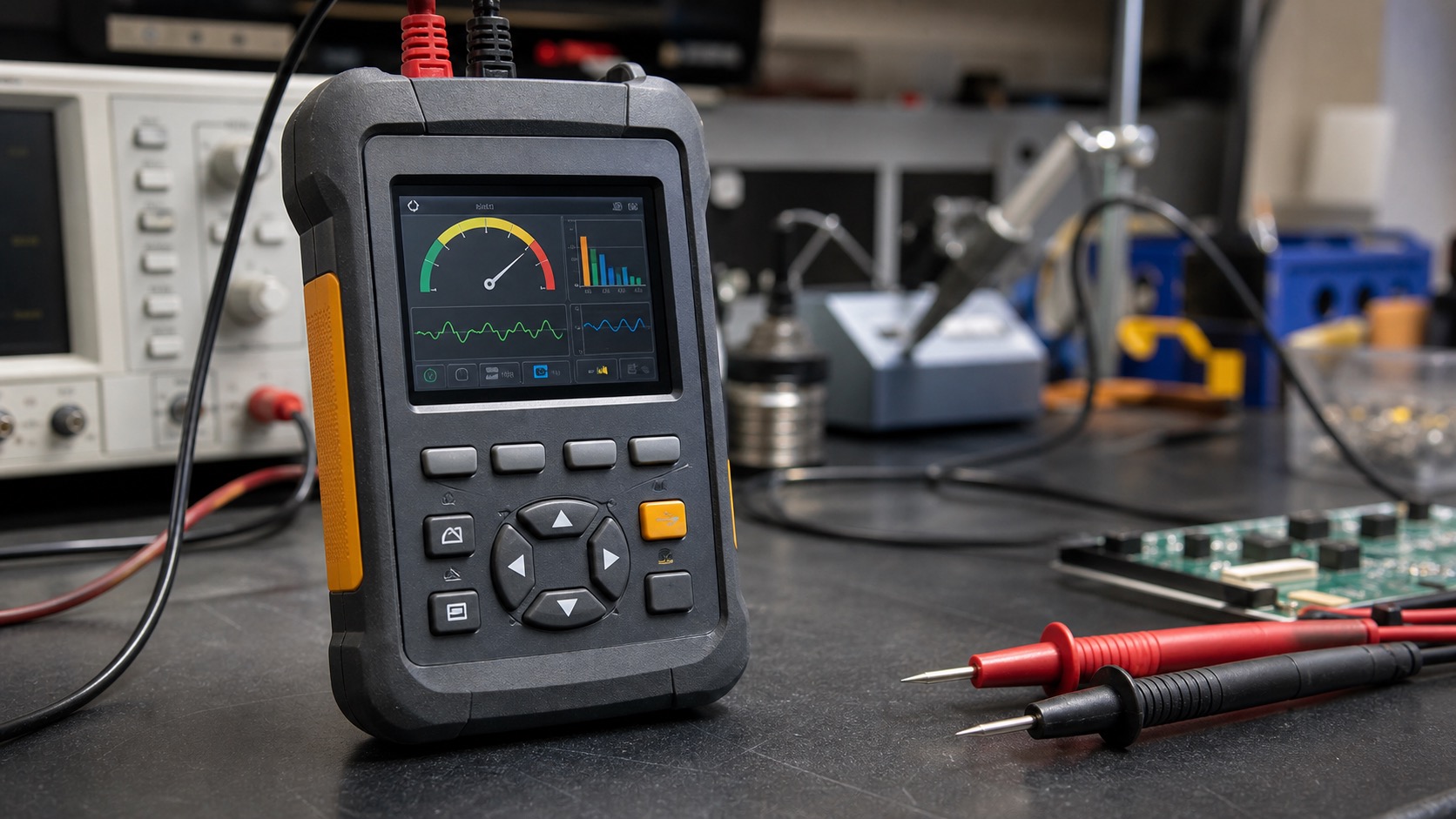
A 3.5-inch industrial TFT display sits in a useful middle ground. It is large enough to show charts, menus, alarms, and live readings, but still small enough for handheld meters, portable data loggers, field instruments, and compact maintenance tools. Many product teams arrive at this size after trying to fit too much information onto a tiny display or after realizing that a larger screen makes the enclosure bulky and power hungry, a common tradeoff in industrial TFT display design.
For handheld instruments, the display is not a decorative part. It shapes how quickly a technician can read a value, confirm a setting, or understand a fault. A bright, stable, and readable TFT can make the difference between a tool that feels professional and one that feels fragile or confusing.
Why 3.5 inches remains popular
The 3.5-inch format works well because it supports practical resolutions such as 320x240, 480x320, or higher custom formats. These resolutions are enough for large numeric values, simple trend graphs, icons, and short messages. The size also fits many handheld housings without forcing a wide grip or awkward button layout.
Another advantage is supply maturity. Many 3.5-inch TFT modules are available with RGB, SPI, MCU, or MIPI interfaces, depending on the target processor. For cost-sensitive instruments, SPI or parallel RGB may be enough. For richer interfaces or faster refresh, MIPI DSI can be considered if the processor supports it.
Readability in the field
Handheld instruments are often used under poor lighting: electrical rooms, outdoor cabinets, vehicles, warehouses, and service areas. A display selected only under office lighting may disappoint in the field. Brightness around 400 to 700 nits is common for indoor and semi-outdoor tools, while outdoor-heavy instruments may need more.
Viewing angle matters as much as brightness. A technician may hold the device at chest height, on a ladder, or beside machinery. IPS TFT panels are often preferred because color and contrast remain more stable at an angle. Anti-glare cover lenses can also help when the tool is used near windows or strong overhead lighting.
Touch or buttons?
Not every handheld instrument needs touch. Physical keys are still useful for gloved operation, blind operation, and wet environments. Touch works well when the device needs menus, graphs, calibration pages, or flexible workflows. Many rugged tools use both: physical keys for frequent actions and touch for setup or navigation.
If capacitive touch is used, the cover glass thickness, glove requirement, and water exposure should be defined early. If operators wear heavy gloves, a resistive touch panel or a key-driven UI may be safer. The best interface is the one the user can operate reliably, not the one that looks most modern in a prototype photo.
Power and thermal design
Portable instruments live on battery capacity. The TFT backlight is often one of the largest power consumers. A bright display that runs at maximum brightness all day can shorten operating time and create heat inside a sealed housing.
Brightness control should be part of the design from the beginning. Dimming after inactivity, dark UI themes, and automatic backlight adjustment can extend battery life. The UI should also avoid unnecessary animations if the processor and display interface are limited.
Mechanical integration
In handheld products, the display competes for space with batteries, PCBs, connectors, sensors, buttons, seals, and the outer shell. The mechanical drawing should be reviewed before the display is locked. Pay attention to active area, viewing area, FPC exit direction, connector height, mounting tape, and cover lens overlap.
Drop resistance is also important. A display module may survive normal operation but fail after a corner impact if the cover lens or enclosure transfers stress into the LCD edge. The front stack should be supported evenly, especially if the device is expected to meet rugged drop tests.
| Design area | Practical check |
|---|---|
| Brightness | Test in the real lighting condition |
| Interface | Match processor, refresh rate, and cable length |
| Touch | Define gloves, water, and cover glass early |
| Power | Include dimming and sleep behavior |
| Mechanics | Review FPC exit, drop stress, and sealing |
| Lifecycle | Avoid short-life consumer display modules |
UI design for small instruments
A 3.5-inch screen is useful but still limited. The UI should prioritize the current reading, alarm state, and next action. Long paragraphs, dense tables, and small icons are frustrating on a handheld screen. A good rule is to design the main page for a quick glance and move advanced settings into secondary pages.
If the instrument is used for service work, error messages should be practical. “Sensor fault” is less useful than “Probe open or disconnected.” Clear language improves support and reduces repeated training.
Field validation before release
Bench testing is not enough for handheld instruments. The display should be tested outdoors, inside cabinets, in dim rooms, and while the user is holding the device at normal working angles. If the product is expected to be used with one hand, check whether the thumb blocks important information or whether the screen is still readable when the tool is tilted.
Battery testing should include realistic screen behavior. A specification that says the device runs for eight hours may be misleading if that test was done with the backlight dimmed and no user interaction. Test with the display brightness, refresh rate, and sleep timing that users will actually experience, using the same discipline applied to low-power TFT displays for battery-powered industrial devices.
Cleaning and protection are also worth checking. Field tools collect oil, dust, fingerprints, and scratches. A cover lens that looks clear on day one may become hard to read if it is too soft or difficult to wipe. If the tool will be used in wet conditions, sealing around the display window should be validated after drop and temperature cycling tests.
Supplier questions worth asking
Before approving a 3.5-inch TFT, ask whether the module is intended for industrial availability or short consumer cycles. Confirm the backlight lifetime, operating temperature, storage temperature, interface timing, FPC customization options, and whether the supplier can provide a matching touch panel and cover lens.
It is also useful to ask for a second-source plan. Even if the exact panel cannot be second-sourced, a supplier should be able to explain which dimensions, interface settings, and mechanical features are critical for future replacements. That information can prevent a painful enclosure redesign later.
FAQ
Is a 3.5-inch TFT large enough for a handheld instrument?
Yes. It is large enough for readings, menus, charts, and alarms while still fitting a compact enclosure. The UI must be designed carefully.
Which interface is best for a 3.5-inch TFT?
SPI is simple for basic screens, RGB is common for mid-range embedded systems, and MIPI DSI is useful when the processor supports higher performance.
Should handheld tools use touch?
Touch is useful for flexible menus, but physical buttons may be better for gloves, rain, and quick operation. Many rugged instruments combine both.
What is often overlooked?
Battery life. Display brightness and refresh behavior can dominate power consumption if backlight control is not planned early.