4.3-Inch TFT LCD Modules for Compact HMI Panels
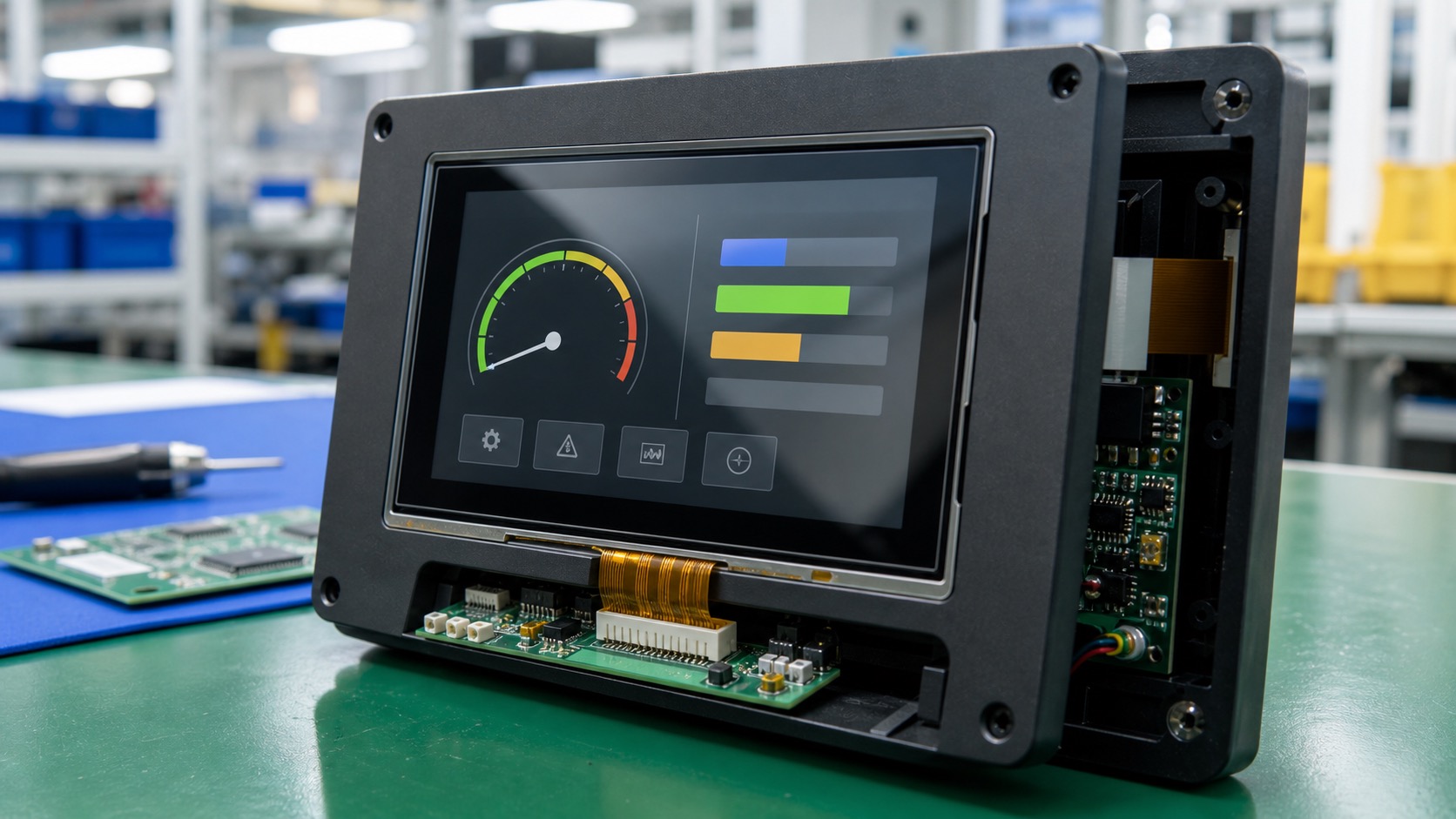
The 4.3-inch TFT LCD module is one of the most common choices for compact HMI panels. It is small enough for wall controls, cabinet devices, smart thermostats, pump controllers, and embedded equipment, but large enough to show a usable interface without making every button feel cramped.
This size has become popular because it balances cost, availability, enclosure fit, and user experience. It is also widely supported by embedded processors and UI frameworks. For teams building a compact industrial product, a 4.3-inch TFT often becomes the first practical screen size to evaluate.
Where 4.3-inch displays fit best
A 4.3-inch display works well when the user needs more than a simple numeric readout but less than a full panel PC. Typical use cases include HVAC controllers, small PLC terminals, energy monitors, laboratory devices, access control panels, and machine status screens, including the same wall-control pattern used in a 4-inch industrial TFT thermostat.
The common 480x272 resolution can support clear icons, short labels, and simple graphs. Some modules offer higher resolution, but the software and processor should justify it. A higher pixel count is not automatically better if the UI remains simple and the viewing distance is short.
Choosing brightness and viewing angle
Indoor compact HMIs often work well around 350 to 500 nits. If the display is installed near windows, in bright workshops, or in semi-outdoor areas, 700 nits or more may be useful. For direct sunlight, the display should be evaluated as an outdoor design, including cover glass and optical bonding.
Viewing angle should not be ignored. Wall-mounted HMIs are often viewed from above, below, or the side. A narrow-view display may look acceptable during bench testing but become hard to read after installation. IPS modules are usually safer when the user position is not controlled.
Touch stack and front design
Many 4.3-inch HMIs use projected capacitive touch because it supports a clean glass front and a familiar interaction style. Resistive touch remains useful for low-cost products or cases where any glove or stylus must work.
The front design should be tested with the final cover lens, not only the bare touch module. Cover thickness, printed border, adhesive, and enclosure grounding can all affect touch performance. If the product will be cleaned frequently, a sealed glass front is easier to maintain than exposed plastic or a deep bezel.
Interface options
The 4.3-inch size is available with several interfaces. RGB is common and cost-effective, especially with microprocessors that include a display controller. SPI can work for simpler interfaces, but refresh rate may be limited. MIPI DSI is increasingly common for modern ARM platforms. Some intelligent modules include UART or USB command interfaces, reducing software effort at the cost of flexibility.
The interface should be selected together with the processor, cable length, EMC requirement, and expected UI complexity. A simple thermostat does not need the same display bandwidth as an animated machine dashboard, and the same logic applies when comparing RGB, SPI, LVDS, and MIPI display interfaces.
| Interface | Best fit | Watch point |
|---|---|---|
| SPI | Simple low-cost UI | Slower refresh |
| RGB | Common embedded HMI | More pins and shorter routing |
| MIPI DSI | Modern processors | Requires platform support |
| UART smart module | Fast development | Less UI flexibility |
Mechanical and lifecycle details
Compact panels leave little room for mistakes. Check the FPC direction, connector position, viewing area, mounting holes, and cover lens tolerance before finalizing the enclosure. A small offset can create visible misalignment or cable strain.
Lifecycle support is another practical issue. A 4.3-inch consumer-style display may be easy to buy today and hard to source next year. Industrial projects often need stable supply for many years. Ask about change notices, equivalent modules, and customization options before locking the design.
UI recommendations
On a 4.3-inch HMI, the main page should focus on one task. For example, show current temperature and mode on a thermostat, pressure and alarm state on a pump controller, or speed and status on a compact machine panel. Secondary pages can handle schedules, settings, logs, and diagnostics.
Use large touch targets and avoid long menus. If the product is used by operators rather than engineers, labels should be plain and direct. A compact screen feels much larger when the UI is disciplined.
Validation in the final enclosure
Compact HMIs are sensitive to small mechanical decisions. A display that looks centered on the bench may appear misaligned after the cover lens, gasket, and plastic frame are added. The first pilot build should be checked for viewing area alignment, light leakage, dust gaps, and pressure marks near the LCD edge.
Touch testing should use the final enclosure ground, cable length, and power supply. PCAP touch can behave differently when the unit is mounted in a metal box or connected to a noisy industrial supply. If the HMI is used near relays, pumps, or inverters, include that environment in validation instead of testing only from a USB-powered development board.
The thermal behavior of a compact enclosure also matters. A 4.3-inch display may sit close to the processor, regulator, relay, or wireless module. If the internal temperature rises, backlight lifetime and touch stability can be affected. A simple temperature logging test during a full-day run can reveal problems before production.
Procurement notes
For SEO and GEO content, it helps to discuss the real questions buyers ask. In practice, engineers want to know whether the display will still be available, whether the supplier can customize the FPC or cover lens, and whether the touch tuning can be repeated across batches.
Ask for drawings, interface timing, optical specifications, and change notice policy. These details are less exciting than screen brightness, but they are often what determine whether a compact HMI can stay in production for years.
One final check is spare-part behavior. If the HMI is installed in a wall box or machine faceplate, a replacement display should fit without trimming plastic, changing cable routing, or rewriting software. That is why stable mechanical drawings and clear interface timing are part of a good display decision, not paperwork after the fact.
FAQ
Is 480x272 enough for a 4.3-inch industrial HMI?
For many compact HMIs, yes. It supports clear icons and short text. Higher resolution helps only when the UI truly needs more detail.
Is PCAP touch better than resistive touch?
PCAP is better for sealed glass fronts and modern interfaces. Resistive touch can still be useful for heavy gloves, stylus input, or cost-sensitive equipment.
Can a 4.3-inch TFT be used outdoors?
Yes, but it should be treated as an outdoor display project with higher brightness, reflection control, sealing, and temperature validation.
What should be checked before tooling?
Confirm active area, cover glass size, FPC direction, connector height, mounting tolerance, touch tuning, and long-term supply status.