7-Inch Industrial TFT Displays for Machine Control Panels
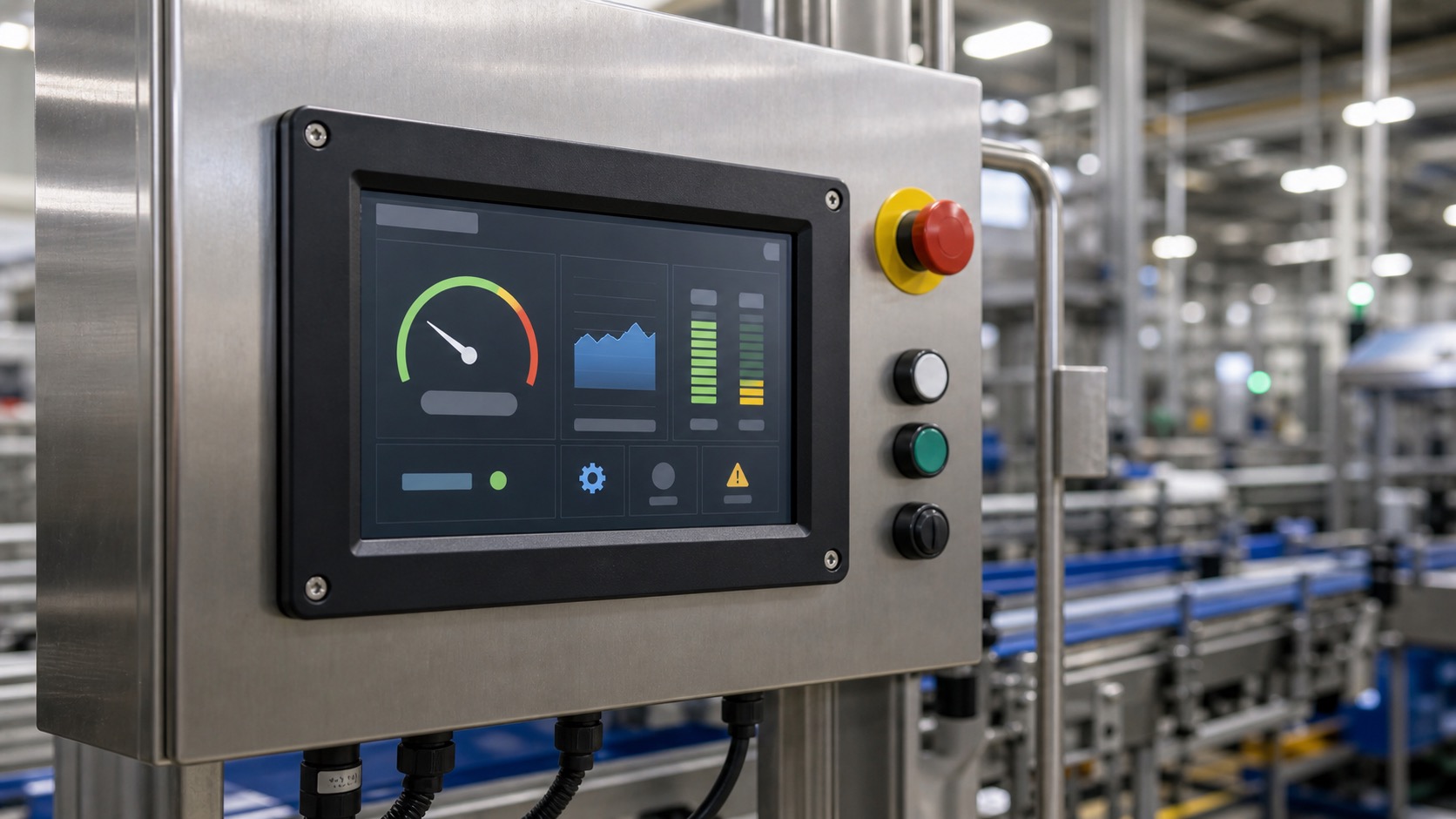
A 7-inch industrial TFT display is often the first size that feels like a complete machine interface. It can show process status, alarms, recipes, settings, trends, and maintenance pages without forcing the operator through too many screens. For machine builders, it is a practical size that balances usability, enclosure cost, and embedded system complexity.
This size is common in packaging machines, pump systems, CNC accessories, test equipment, inspection stations, and small automation cells. It is large enough for serious HMI work but still compact enough for a cabinet door or machine-mounted panel. A full CNC controller display may need more room when program, position, tool, and alarm data must stay visible together.
Why 7 inches works for machine HMIs
The typical 800x480 resolution gives enough space for a status header, main data area, navigation bar, and alarm region. That matters because machine operators need context. They should see whether the machine is running, stopped, faulted, or waiting for input without digging through menus.
A 7-inch display also supports larger touch targets. This is important for gloved operation and fast interaction. In a factory, the user may be standing, moving, carrying parts, or reacting to an alarm. The interface should not require precision tapping.
When comparing 800×480, 1024×600, and 1280×800 options, calculate industrial HMI display resolution and text size together. Keeping the same pixel-sized buttons on a denser panel makes them physically smaller.
Brightness and factory lighting
Many indoor machine panels work well between 400 and 700 nits. If the display is mounted near large windows, inspection lights, welding curtains, or glossy machine guards, higher brightness or anti-glare glass may be needed. The right choice depends on the actual factory location.
Viewing angle is important because operators rarely stand exactly in front of the panel. IPS TFT displays are often preferred because the screen remains readable from the side. This is especially useful when the HMI is mounted on a swing arm or cabinet door.
Touch panel choices
Projected capacitive touch is common for modern machine HMIs. It supports a sealed front glass surface and a smooth UI. However, PCAP must be tuned for gloves, water, cleaning, and electrical noise. If the machine is used in a wet or dirty area, testing should include the real cleaning process.
Resistive touch can still be a practical choice for older equipment, very heavy gloves, or cost-sensitive systems. It does not feel as modern, but it can be reliable for single-point operation. The decision should be based on operators and environment rather than fashion.
Interface and controller platform
Seven-inch TFTs are commonly available with RGB, LVDS, MIPI DSI, or HDMI-style controller boards. RGB is familiar for embedded boards, but it uses many pins and prefers shorter routing. LVDS is strong for longer internal cable runs and better noise immunity. MIPI works well with modern processors, with more detail in the LVDS vs MIPI DSI interface comparison. HDMI controller boards are convenient but may add cost and supply complexity.
The display interface should be selected before PCB layout begins. Changing from RGB to LVDS or MIPI later can affect processor choice, connector layout, cable routing, and software.
| Requirement | Practical direction |
|---|---|
| Simple machine UI | 800x480 may be enough |
| Long cable inside cabinet | Consider LVDS |
| Modern ARM processor | MIPI DSI may be efficient |
| Glove operation | Validate PCAP tuning or use resistive |
| Washdown area | Use sealed front glass and gasket design |
Reliability and maintenance
Machine panels often run for long shifts. Backlight lifetime, temperature range, and long-term availability should be reviewed. A display that is cheap but discontinued quickly can create service problems for machine builders who support equipment for many years.
Maintenance pages are valuable on a 7-inch HMI. They can show I/O state, sensor values, motor status, cycle counts, firmware version, and error history. This kind of local visibility reduces the need for a laptop and can shorten downtime.
UI design for operators
On a machine, the HMI should feel calm and direct. It should show current state first, then the next useful action. Alarms need plain cause and recovery guidance when possible. Critical controls should not be buried behind decorative dashboards.
If the HMI includes recipes, protect edit functions with user levels. Operators may need to select a recipe, while engineers need to edit parameters. The display should make that difference obvious.
Commissioning and service checks
A 7-inch HMI should be tested during machine commissioning, not only during display bring-up. The screen should be readable from the normal operator position, with the machine running, guards installed, and nearby lighting turned on. Reflections from stainless surfaces and safety doors often appear only after the full machine is assembled.
The service workflow should also be reviewed. If technicians need to see I/O, servo status, encoder counts, or network state, the HMI should make those pages easy to reach without exposing unsafe controls to normal operators. Good local diagnostics can reduce phone support and shorten downtime.
For machines sold globally, language expansion matters. A layout that fits English may break in German, Spanish, or Polish. Buttons, alarm text, and recipe names should have enough space for translation. This is a practical usability issue and also supports better long-term documentation.
Supplier and lifecycle questions
Machine builders often support equipment for a decade or more. Before selecting a 7-inch TFT, ask about production lifetime, compatible replacements, backlight availability, touch controller change control, and whether optical bonding can be repeated consistently.
If the machine must meet safety or EMC requirements, request stable interface documentation early. Changing the display interface or cable after testing can force repeated validation. A slightly more expensive industrial module is often cheaper than a late redesign.
Ask how the display will be replaced in the field. A machine panel that takes an hour to open, reseal, and recalibrate creates extra service cost. Display selection includes the module, gasket, cable, software settings, and service instructions as one package.
For repeat machine platforms, keep the HMI hardware consistent across models when possible. Operators and technicians learn faster when screen size, touch behavior, alarm layout, and service pages feel familiar. This kind of consistency rarely appears in a display datasheet, but it has real value in daily production.
FAQ
Is 7 inches enough for a full machine HMI?
For many compact and mid-size machines, yes. It can handle status, settings, alarms, recipes, and diagnostics when the UI is organized well.
Should a 7-inch industrial display use LVDS?
LVDS is a good option when cable length or electrical noise is a concern. RGB or MIPI may also be suitable depending on the processor and layout.
What brightness is typical for indoor machine panels?
Many indoor panels use 400 to 700 nits. High-glare environments may need more brightness and anti-glare treatment.
What makes this topic useful for buyers?
Practical test conditions, operator workflow, maintenance needs, and clear tradeoffs make the content more useful than generic display specifications.