Anti-Glare and Anti-Reflective Cover Glass for TFT Displays
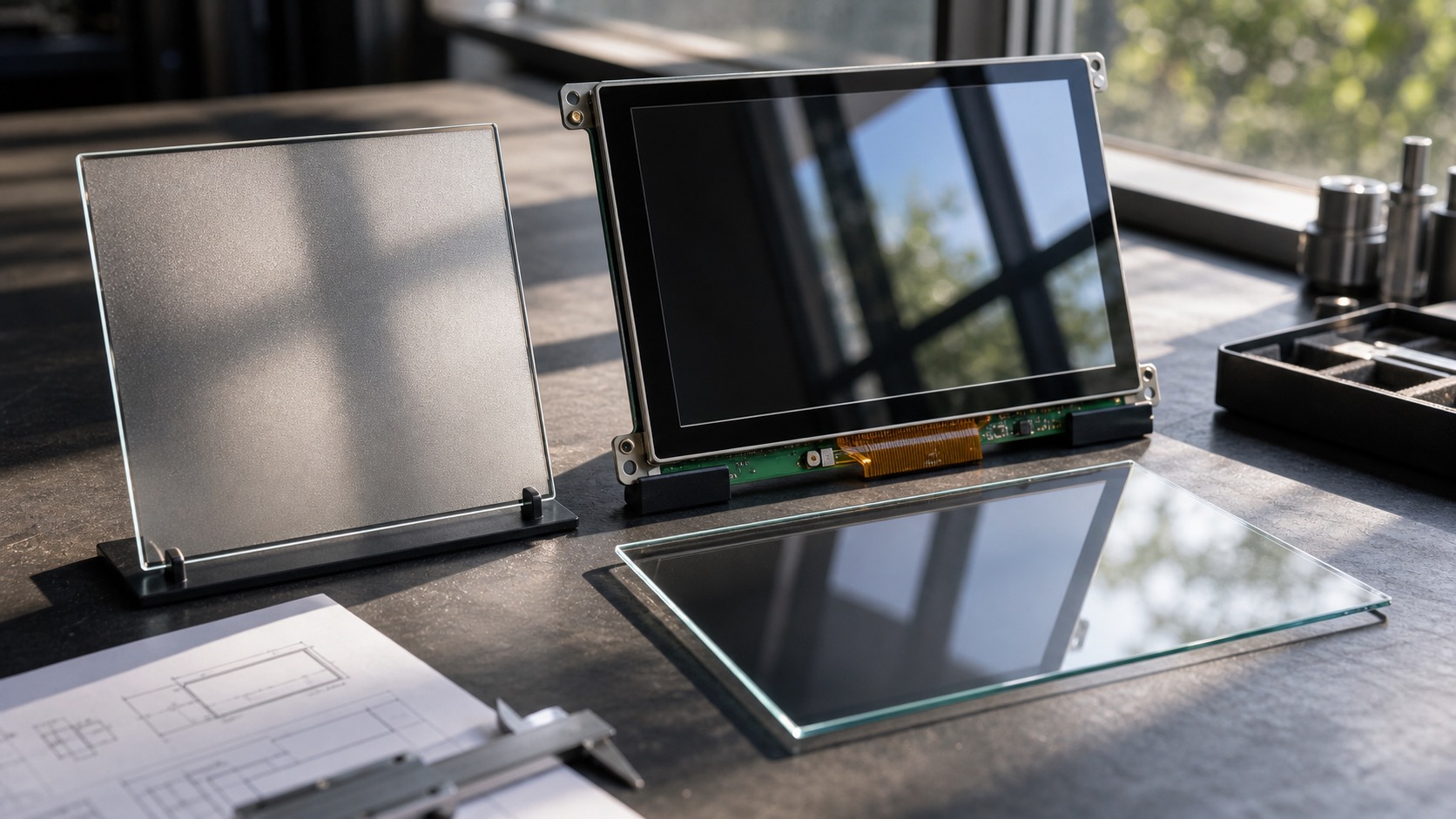
Cover glass looks like a simple protective layer, but it can change the entire user experience of a TFT display. The right glass improves durability, touch feel, cleaning, and readability. The wrong glass can create glare, soften the image, reduce contrast, or make touch tuning harder.
Anti-glare and anti-reflective treatments are often discussed together, but they are not the same. Anti-glare, or AG, diffuses reflected light so reflections look less sharp. Anti-reflective, or AR, reduces the amount of reflected light. Many industrial display projects use one or both depending on environment and budget.
Why reflections matter
Industrial displays are rarely used in perfect lighting. They may face windows, factory lamps, sunlight, inspection lights, vehicle cabins, or glossy equipment surfaces. A display with high brightness can still be hard to read if the cover glass acts like a mirror.
Reflections reduce perceived contrast. Black areas look gray, thin text becomes harder to read, and users may change posture to avoid glare. For HMIs, this is a usability and safety issue, not only an optical detail.
Anti-glare glass
Anti-glare glass uses a surface texture or coating to scatter reflected light. It reduces mirror-like reflections and can make the display more comfortable under bright overhead lighting. AG glass is common in industrial HMIs, outdoor terminals, and equipment with frequent viewing angle changes.
The tradeoff is image sharpness. Strong AG treatment can make text look slightly softer, especially on high-resolution displays. The texture can also affect cleaning feel. For medical, food, or cleanroom applications, the cleaning requirement should be reviewed with the coating.
Anti-reflective glass
Anti-reflective coating reduces reflection rather than scattering it. This can improve clarity and contrast, especially when paired with optical bonding. AR coatings are useful in outdoor displays, marine dashboards, medical devices, and premium industrial panels.
The tradeoff is durability and handling. Some AR coatings require more careful cleaning and can be more expensive. If the display will be wiped frequently with chemicals, test the coating before approving it.
| Feature | Anti-glare | Anti-reflective |
|---|---|---|
| Reflection style | Diffuses reflection | Reduces reflection |
| Image sharpness | Can soften slightly | Usually clearer |
| Outdoor contrast | Helps | Strong benefit |
| Cleaning durability | Depends on texture | Depends on coating |
| Cost | Often moderate | Often higher |
| Best fit | Factory glare, overhead lights | Outdoor and premium readability |
Touch and glass thickness
Cover glass affects touch performance. Thicker glass can improve impact resistance but reduce capacitive touch sensitivity. Surface coatings can also change finger feel. If glove operation is required, the touch controller must be tuned with the final glass, coating, and bonding method.
Do not approve touch performance on a bare sensor and then add cover glass later. The final stack should be tested as one assembly.
Cleaning and durability
Industrial cover glass may be exposed to oils, dust, disinfectants, detergents, or solvents. The coating should be compatible with the cleaning method. A display in a food plant has different requirements from a display in a vehicle cabin.
Scratch resistance is also important. A soft coating may look good in a sample but degrade after months of wiping. Ask suppliers for abrasion data, chemical resistance information, and cleaning recommendations.
Choosing the right surface
For indoor factory HMIs, moderate AG treatment is often a good starting point. For outdoor displays, combine AR, optical bonding, and high brightness if budget allows. For touch-heavy products, test finger feel and glove behavior. For clean environments, prioritize cleanability and coating durability.
There is no universal best cover glass. The right choice depends on glare, cleaning, impact, touch, cost, and appearance.
How to evaluate samples
Cover glass samples should be evaluated with the real display turned on, not as loose glass on a desk. Place the sample over the TFT, use the actual UI colors, and view it under the lighting expected in the field. Reflections that are tolerable on a blank sample may become distracting when text and icons are visible.
Test from multiple angles. Many industrial displays are viewed from the side, above, or below. A coating that looks good from straight on may create haze or color shift at an angle. If the display is mounted outdoors or in a vehicle, test it in sunlight and shade on the same day.
Cleaning tests should be practical. Use the same cloths, gloves, and cleaning fluids that operators will use. Check whether the surface keeps fingerprints, scratches easily, or becomes harder to read after repeated wiping. A cover glass decision should survive maintenance behavior, not only optical measurement.
Touch and bonding stack
If the display includes PCAP touch, evaluate the cover glass together with the touch sensor and controller. Glass thickness, coating, and bonding method can all change sensitivity. Anti-glare texture may also change the sliding feel of a finger or glove.
Optical bonding often improves readability with AG or AR glass because it removes internal reflections behind the cover lens. However, bonding should be tested with the selected coating and ink border. Changing one layer can affect the whole stack.
Supplier questions
Ask suppliers for coating type, haze value, reflectance data, hardness, chemical resistance, abrasion test information, and cleaning guidance. If the product is expected to last for years, ask whether the same coating process will remain available.
For high-volume products, define acceptable cosmetic limits. Small coating marks, edge defects, or haze variation may be visible on a black display. Clear inspection criteria prevent disagreements during production.
Packaging and handling should not be ignored. Coated glass can be damaged before it ever reaches the assembly line if separators, gloves, or cleaning steps are wrong. Ask how samples and production parts will be protected during shipping and installation.
If the product has multiple display sizes, try to keep the same surface character across the family. Users notice when one model looks clear and another looks hazy under the same light.
Finally, review the cover glass with the exact background colors used in the UI. Dark interfaces reveal reflections and dust more clearly, while white interfaces reveal haze and coating unevenness. A sample that passes with a test pattern may still feel wrong with the real HMI design.
FAQ
Is anti-glare the same as anti-reflective?
No. Anti-glare diffuses reflections, while anti-reflective coating reduces reflection. They solve related but different optical problems.
Does anti-glare reduce display sharpness?
Strong AG treatment can slightly soften text. The effect should be checked with the real UI and viewing distance.
Should outdoor displays use AR glass?
Often yes, especially with optical bonding. AR can improve contrast in sunlight, but coating durability must be reviewed.
Can cover glass affect PCAP touch?
Yes. Thickness, coating, bonding, and grounding all affect touch sensitivity and should be tested as a final stack.