Industrial HMI Touch Panels: Designing Rugged Human-Machine Interfaces
Introduction
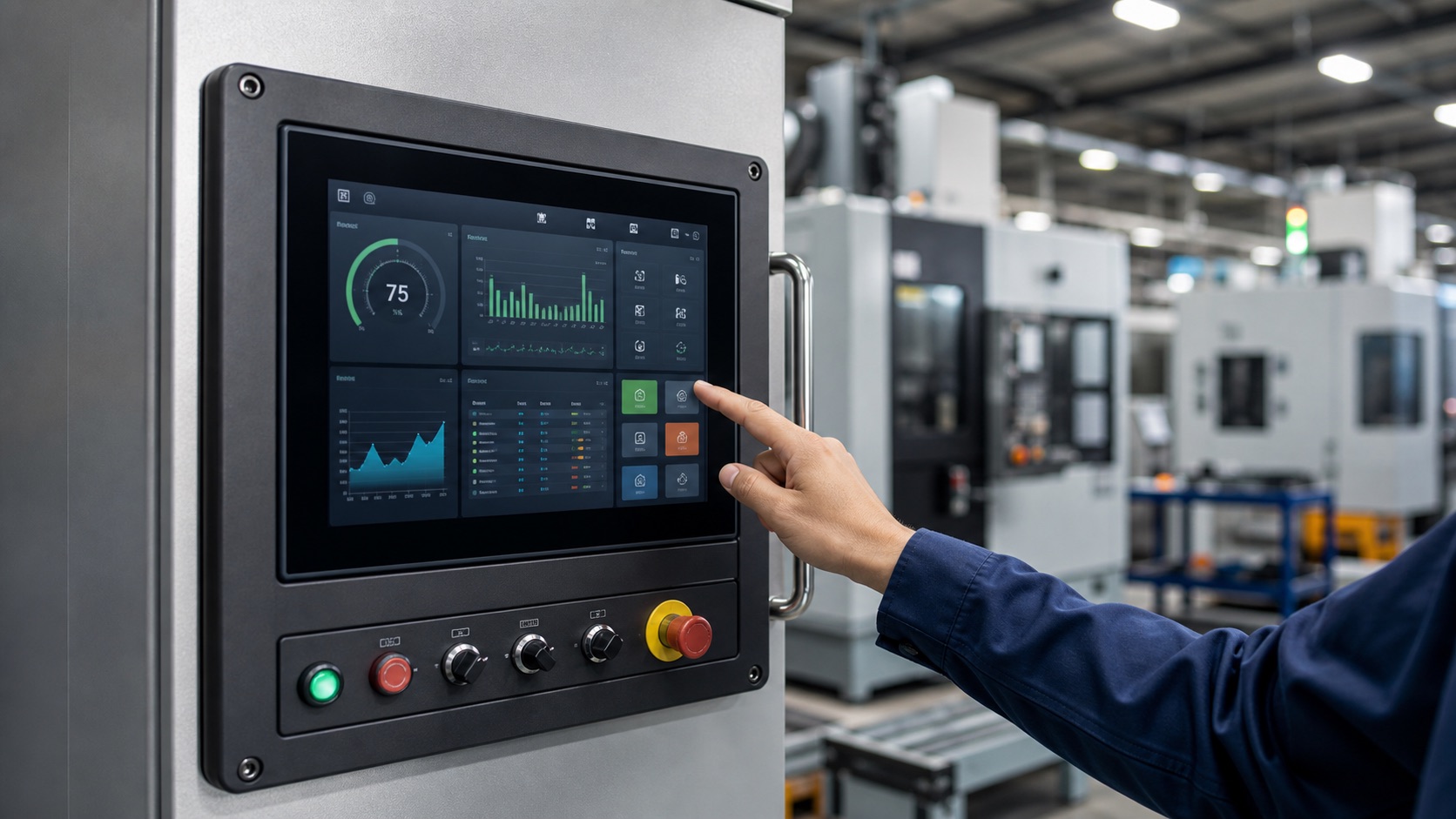
The Human-Machine Interface (HMI) is where the operator meets the machine. On a modern factory floor, that interface is almost always a touch panel built around an industrial-grade TFT display. From CNC machines and packaging lines to PLC control cabinets, the HMI touch panel is the single point through which operators monitor status, adjust parameters, and respond to alarms.
Unlike a consumer tablet, an industrial HMI touch panel must survive dust, vibration, wash-down cycles, gloved hands, and years of continuous operation. The real design work sits in the stack: touch technology, cover glass, bonding, sealing, display interface, and the trade-offs that show up after the panel is installed on a machine.
For a broader primer on the displays themselves, see our Industrial TFT Display Overview.
What Makes an HMI Panel “Industrial”
A consumer touchscreen optimizes for thinness, color saturation, and cost. An industrial HMI panel optimizes for reliability over a long service life in a hostile environment. The differences show up in several places:
- Wide operating temperature: typically -20°C to +70°C, versus 0°C to 40°C for consumer parts.
- Long lifecycle: industrial panels are guaranteed for years of availability so you can build and service the same product for a decade.
- Sustained brightness: 400–1000 nits with a backlight rated for 30,000–50,000 hours of continuous use.
- Sealed front surface: an IP65 (or higher) rated bezel and cover glass so the panel can be washed down or installed outdoors.
- EMI tolerance: the touch controller must keep working next to motors, VFDs, and welding equipment.
Touch Technology: Resistive vs. Projected Capacitive
The single most important design decision for an HMI panel is the touch technology. The two that dominate industrial use are resistive and projected capacitive (PCAP).
| Feature | Resistive Touch | Projected Capacitive (PCAP) |
|---|---|---|
| Glove operation | Works with any glove | Needs tuning / thick-glove mode |
| Wet operation | Works when wet | Can register false touches |
| Multi-touch | Single touch only | Full multi-touch / gestures |
| Durability | Surface wears over time | Sealed glass, very long life |
| Optical clarity | Lower (extra layers) | High, supports cover glass |
| Cost | Lower | Higher |
Resistive panels respond to pressure, so they work with any glove, a stylus, or a wet finger — which is why they persist in food processing, cold storage, and older machinery. The downside is a softer surface that scratches and wears.
Projected capacitive is now the default for new designs. It puts a hardened glass surface over the sensor, enabling a sealed, easy-to-clean front, multi-touch gestures, and a premium “tablet-like” feel. Modern PCAP controllers support glove mode and water-rejection firmware, closing much of the historical gap with resistive.
Rule of thumb: choose PCAP for new equipment and a modern UI; choose resistive when operators wear heavy gloves, the screen gets wet, or budget is tight.
Display and Touch Integration
A finished HMI panel is a stack: cover glass / touch sensor, optical bonding, the TFT, and the backlight. A few integration details have an outsized effect on field reliability.
- Optical bonding: laminating the touch sensor directly to the TFT (instead of leaving an air gap) removes internal reflections, improves sunlight readability, and prevents condensation between layers. It is strongly recommended for outdoor or high-glare installations.
- Cover glass and surface treatment: anti-glare (AG) etching cuts reflections; anti-fingerprint (AF) coatings keep the surface readable on a greasy shop floor.
- Brightness and dimming: panels installed near windows or outdoors need the same brightness, lifecycle, and optical trade-offs covered in the industrial TFT display overview.
- Bezel and sealing: the mechanical frame determines the IP rating. A flush glass front with a gasket behind it is what makes wash-down and IP65 possible.
Common Display Interfaces
The HMI’s processor talks to the TFT over one of a few standard interfaces. The right choice depends on resolution and the host platform:
- SPI — simplest, for small low-resolution panels and basic MCU-driven HMIs.
- RGB (parallel) — common for mid-size panels up to ~800×480; many pins, short cable runs.
- LVDS — the workhorse for larger, higher-resolution panels; good noise immunity over longer cables.
- MIPI DSI — high speed and low power, increasingly used on modern ARM SoCs.
The touch controller is usually separate, communicating over I²C or USB back to the host.
Compute Platform and UI Frameworks
Behind the panel sits an embedded controller. The platform choice drives what kind of UI you can build:
- MCU + RTOS for cost-sensitive, fixed-function HMIs. LVGL is the go-to graphics library for these resource-constrained devices.
- ARM SBC running Linux for richer interfaces, networking, and remote access. Qt is the most common framework for advanced touch GUIs, with Flutter Embedded and web-based (Chromium kiosk) HMIs gaining ground.
This is the same hardware lineage used in adjacent products — see how a 4-inch industrial TFT thermostat packs a full HMI into a small enclosure, and how TFT panels empower robotic arm control.
Designing the Operator Experience
A rugged panel is only half the job; the UI has to be usable under real factory conditions. A few principles consistently pay off:
- Large, well-spaced touch targets for gloved hands — design for fingertips, not a mouse cursor.
- High-contrast color and clear typography that stay readable under bright overhead lighting and at an angle.
- Unambiguous alarm states with color, icon, and text together (never color alone) so status is obvious at a glance.
- Confirmation on critical actions to prevent accidental presses from a bumped screen.
- Multi-language support for plants that deploy the same line internationally.
Deployment Scenarios
1. Machine-Mounted Control Panels
Directly on a CNC, injection molder, or packaging machine, the HMI shows live cycle status and lets operators tune parameters without a separate terminal. Vibration and EMI tolerance are the priorities here.
2. Control-Cabinet Door HMIs
Mounted in the door of an electrical cabinet, often connected to a PLC. IP65 on the front face keeps dust and moisture out of the enclosure.
3. Wash-Down Environments
Food, beverage, and pharmaceutical lines require sealed glass fronts that tolerate daily cleaning with water and detergents. PCAP with water-rejection firmware — or resistive — fits here.
4. Outdoor and Semi-Outdoor Stations
Loading docks, agricultural equipment, and outdoor kiosks need high brightness, optical bonding, and a wide temperature range to stay readable and functional in direct sun and cold.
How to Specify an HMI Touch Panel
When you write the spec, pin down these parameters early:
- Size and resolution — match the viewing distance and information density.
- Touch technology — PCAP vs. resistive, plus glove/wet-mode requirements.
- Brightness — indoor (~400 nits) vs. sunlight-readable (800–1000 nits).
- IP rating — front-face sealing for the installation environment.
- Operating temperature — confirm both the TFT and the touch sensor cover the range.
- Interface — SPI / RGB / LVDS / MIPI to match the host board.
- Lifecycle and availability — how many years you must source the same part.
FAQ
What is the best touch technology for industrial HMIs?
PCAP is the preferred choice for most new HMIs because it supports sealed glass, good optical clarity, and a modern interface. Resistive touch is still useful for heavy gloves or low-cost equipment.
Do all industrial HMIs need high brightness?
No. Indoor factory HMIs may work well around 400 to 600 nits. Outdoor or high-glare stations usually need higher brightness and optical bonding.
What should be tested before release?
Test touch response with gloves, wet operation, viewing angle, cleaning behavior, vibration, and the actual front enclosure. The complete stack matters more than the bare display.
Conclusion
An industrial HMI touch panel is far more than a touchscreen bolted to a machine. It is a carefully integrated stack — rugged cover glass, the right touch technology, a sunlight-readable TFT, and a UI designed for gloved hands and noisy environments — engineered to run reliably for years.
Get the fundamentals right — touch technology matched to the environment, adequate brightness and sealing, and an interface tuned for real operators — and the HMI becomes the dependable bridge between people and the machines they control.