TFT Displays for Laboratory Equipment
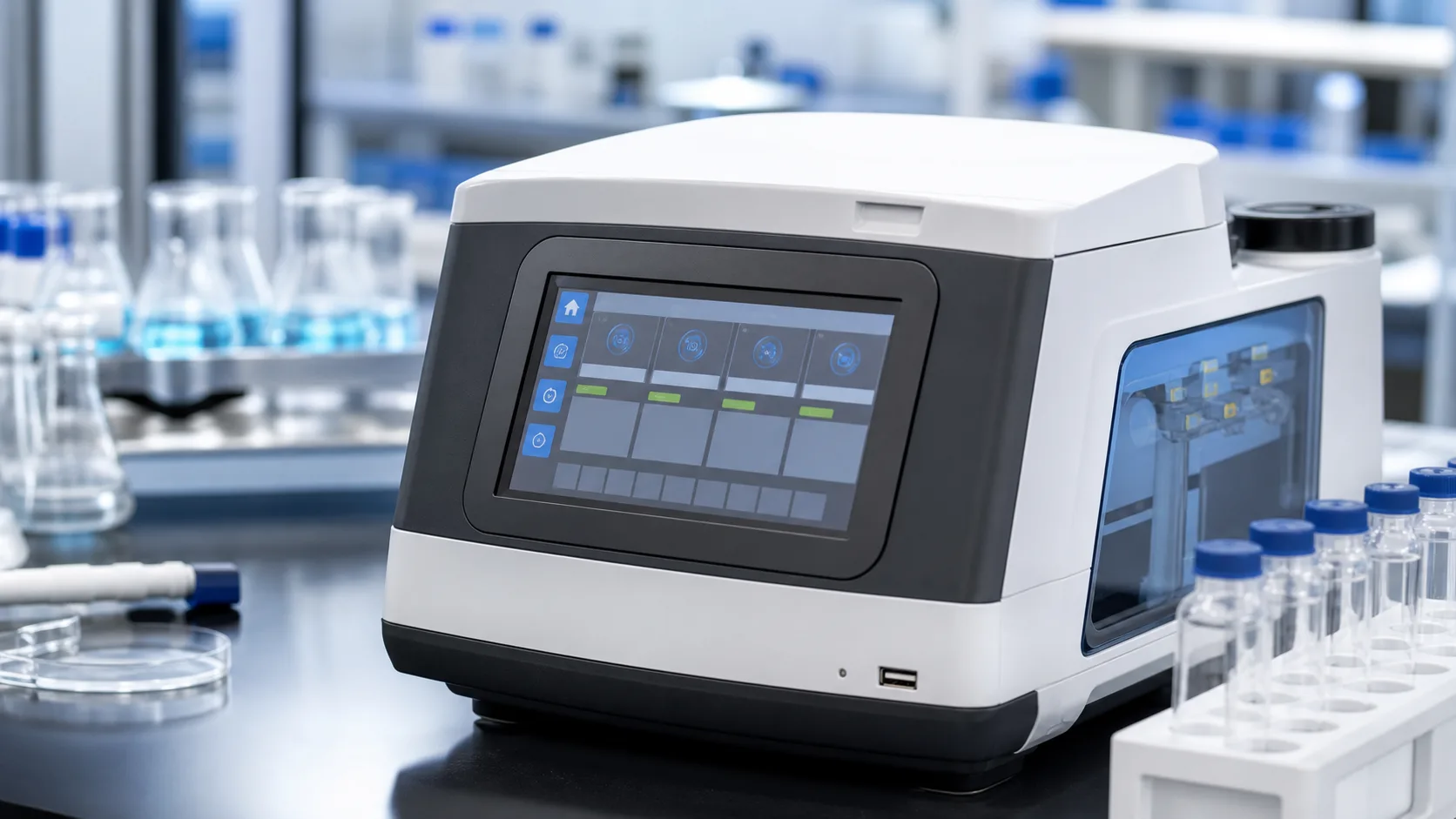
Laboratory equipment displays need to be precise, cleanable, and easy to read. They appear on analyzers, centrifuges, incubators, spectrometers, test fixtures, sample preparation systems, and diagnostic instruments. In many devices, the display is the daily control point for operators who need clear status, safe workflows, and reliable alarms.
Lab environments are controlled compared with outdoor industrial sites, but they still create demanding display requirements. Operators may wear gloves, wipe surfaces often, work under bright lighting, and rely on the screen during time-sensitive procedures. A display that looks modern but is hard to clean or confusing under alarm conditions can hurt trust in the instrument.
What lab users need
The main screen should show instrument state, run progress, sample status, temperature, warnings, and next action. Operators should not need to search through menus to know whether a run is active, paused, complete, or faulted.
Service users need deeper information: firmware version, calibration state, sensor readings, logs, network status, and diagnostic tests. These pages should be available without cluttering the daily workflow.
Readability in lab lighting
Laboratories often have bright overhead lighting and reflective surfaces. A glossy screen may look sharp in photos but create glare during real use. Moderate anti-glare treatment or optical bonding can improve readability, especially if the device is viewed from different angles.
Viewing angle matters when multiple people look at an instrument during setup, training, or troubleshooting. IPS-type TFT panels are usually a safer choice than narrow-view displays. Stable color and contrast also help when status colors are used.
Touch with gloves
Lab operators often wear nitrile, latex, or other gloves. PCAP touch can work well, but it must be tested with the actual glove type and cover glass. Thick glass, coatings, and grounding can change touch response. Wet gloves or cleaning residue should also be included in validation.
Buttons should be large enough for gloved use. Avoid placing critical controls near the screen edge. Confirmations are useful for actions such as starting a run, stopping a process, clearing alarms, or changing calibration settings.
Cleanability and materials
Laboratory equipment may be wiped with alcohol, disinfectants, detergents, or other approved cleaning agents. The display front should resist haze, coating damage, and seal degradation. A sealed glass front is usually easier to clean than a deep bezel or exposed plastic surface.
Cleaning requirements overlap with washdown HMI design, though lab equipment may not face hose-down conditions. Chemical compatibility still matters. IP rating alone does not prove that the coating, adhesive, or gasket can survive the cleaning process.
UI design and workflow
Lab interfaces should reduce uncertainty. Show clear run states, progress, warnings, and recovery instructions. Use plain language where possible. Error codes can be useful for service logs, but the operator needs to know what action is required.
For regulated or quality-sensitive workflows, user levels may be needed. Routine operators may run tests and view results, while supervisors or service staff can change calibration, methods, or network settings. The display should make access level clear without making the main interface feel complicated.
Display size and resolution
Small instruments may use 4.3-inch or 5-inch displays. Larger analyzers may use 7-inch, 10.1-inch, or bigger panels. The right size depends on how much information must be visible during a run. If the device shows many samples or steps at once, a larger display can reduce navigation errors.
Resolution should support readable text and icons. Tiny labels are a problem in labs because users may glance at the screen while handling samples or wearing protective equipment. It is better to show fewer items clearly than many items barely.
For waveform and precision measurement products, test and measurement TFT display integration adds questions about trace reduction, data freshness, synchronized readouts, and electrical noise from the display subsystem.
Interface and software
Many lab instruments use embedded Linux or MCU platforms. SPI and RGB can work for smaller displays, while LVDS or MIPI may fit larger or more modern systems. The display interface should be chosen together with processor capability and UI framework.
Boot and fault behavior are important. If the instrument is warming up, running self-test, or recovering after a power event, the display should communicate that state. A blank screen can cause operators to restart equipment unnecessarily.
Lifecycle and documentation
Laboratory equipment often needs stable parts for years. A display change can affect software, enclosure, validation, cleaning instructions, and regulatory files. Ask suppliers about product longevity, change notice policy, replacement compatibility, and whether the touch controller firmware is controlled.
Good documentation is part of real product quality. Keep display drawings, timing, cleaning instructions, touch settings, and validation results with the product records. If the display is replaced later, engineers need more than a part number.
Validation
Test readability under lab lighting, touch with gloves, repeated cleaning, alarm visibility, low and high temperature if relevant, and long run behavior. Include people who actually use the instrument. They may notice workflow issues that engineers miss.
For devices related to diagnostics or medical workflows, review display requirements more conservatively, as described in medical imaging TFT applications. The screen may not make a diagnosis by itself, but it still affects operator decisions.
Practical supplier review
When sourcing a laboratory display, ask whether the supplier can support stable drawings, touch firmware control, cover glass customization, and cleaning compatibility data. A small change in coating or touch controller behavior can require new internal review for regulated equipment. The display should not be treated as a disposable consumer part.
It is also useful to review spare part handling. Lab instruments may be serviced by trained technicians, but the replacement process still needs clear steps. Cable routing, gasket compression, and touch test procedures should be documented so a repaired unit behaves like the original.
Alarm and data confidence
Laboratory users depend on clear state changes. If a run pauses, a door is open, a reagent is low, or a temperature limit is exceeded, the display should make that condition visible immediately. Avoid relying only on small icons or color changes. Pair status color with short text and a clear next action. This reduces operator hesitation and supports safer instrument use during busy lab work. It also helps supervisors review abnormal events after a shift, because the screen language matches the event log and user training.
FAQ
Do laboratory instruments need industrial TFT displays?
Often yes. They need stable supply, cleanability, glove touch, long lifecycle, and reliable readability under lab lighting.
Is PCAP touch suitable for lab equipment?
Yes, if it is tested with real gloves, cleaning agents, cover glass, and the final enclosure.
What is the most important lab display feature?
Clear workflow status is usually most important. Operators need to know whether the instrument is ready, running, complete, or in fault.