TFT Displays for Logistics Handheld Terminals
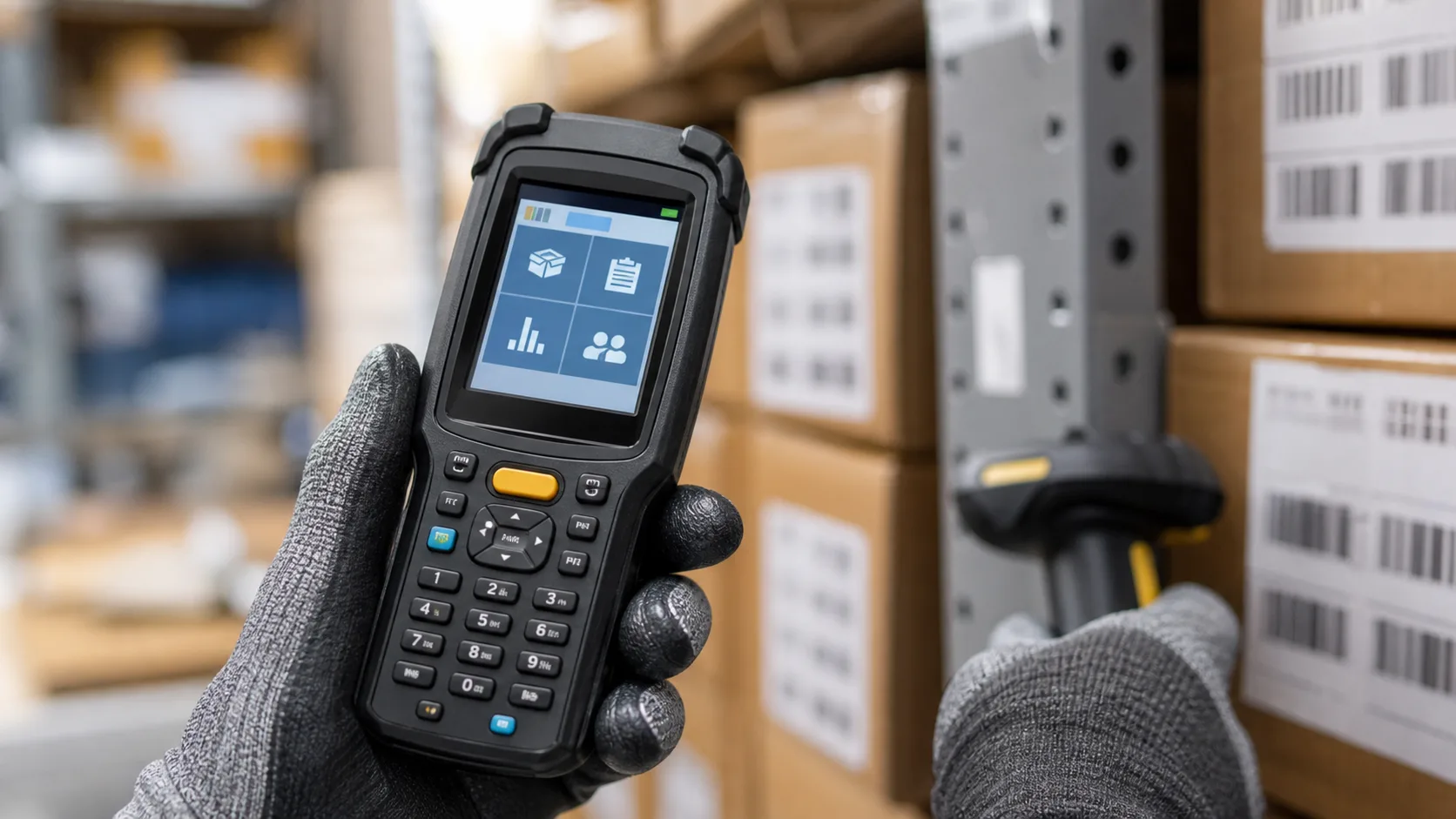
Logistics handheld terminals need displays that survive daily handling and remain readable during fast work. Warehouse staff, delivery drivers, inventory teams, and field technicians may use the same device hundreds of times per shift. The screen must support scanning, picking, receiving, route checks, exception handling, and quick confirmations without slowing the user down.
These devices are smaller than machine HMIs, but their display requirements are demanding. They face drops, dust, cold rooms, sunlight near loading docks, gloves, battery limits, and repeated touch or key use. A display that looks good on a desk can fail when used in a warehouse aisle or delivery route.
Common screen sizes
Many logistics handhelds use displays between 3.5 inches and 5 inches. Smaller screens keep the device compact and reduce power use, while larger screens improve readability and reduce navigation. A 5-inch screen can show item image, quantity, location, status, and action buttons more comfortably than a smaller module.
The best size depends on the workflow. A barcode scanner used for simple confirmation can use a smaller display. A terminal used for picking, routing, signatures, photos, or exception handling may benefit from more screen area, similar to the tradeoffs in 5-inch industrial TFT design.
Readability in warehouses and outdoors
Warehouses can have mixed lighting: dim aisles, bright loading docks, skylights, vehicle cabins, and outdoor yards. The display should be readable in all normal work zones. Brightness around indoor levels may be enough in storage aisles but insufficient near dock doors or in vehicles.
Anti-glare cover lenses can help. A glossy screen may reflect overhead lights or shrink-wrap. Strong contrast, large text, and simple status colors improve usability without requiring maximum brightness all the time.
Battery life
The display is one of the main power users in a handheld terminal. Backlight brightness, screen timeout, wake behavior, and UI update rate affect battery life. If the display stays bright while the user is walking between locations, runtime can drop quickly.
Use automatic dimming or practical timeout behavior. The screen should wake quickly for scanning but dim when idle. Battery life should be tested with realistic workflows, not only continuous standby or a low-brightness lab test. This links closely to low-power TFT design.
Touch, keys, and gloves
Touch is useful for flexible workflows, but logistics users often prefer physical scan triggers and a few hard keys. A hybrid design works well: touch for forms and menus, physical keys for scan, back, confirm, or navigation. This reduces errors when users are moving quickly.
If the terminal is used in cold storage, outdoor yards, or delivery routes, test with gloves. PCAP touch can support gloves if tuned properly, but thick gloves and wet conditions require validation. Resistive touch may still be considered for certain rugged tools, though it can feel dated and wear over time.
Drop and impact behavior
Handheld terminals get dropped. The display module, cover glass, frame, connector, battery, and enclosure should be designed as one impact system. A strong cover glass does not help if the display corner is unsupported or the FPC disconnects after a fall.
Drop testing should include different angles, temperatures, and device states. Cold plastics can behave differently. A terminal that survives one controlled drop may still fail after repeated field abuse.
Temperature and condensation
Cold storage and outdoor logistics can expose devices to temperature swings. A terminal may move from a freezer to a warm loading dock, creating condensation. The display should remain readable, and touch should not create false inputs.
Wide temperature TFT modules, sealed fronts, and careful enclosure design help. If the device is used around refrigerated goods, review the same concerns covered in cold chain display selection.
UI design for speed
Logistics screens should be fast and direct. Show the next location, item identifier, quantity, scan result, and exception state clearly. Avoid long text and small buttons. Workers may glance at the screen while holding packages or driving a cart.
Use strong confirmation states. After a scan, the display should make success or error obvious. Color helps, but do not rely only on color. Icons, vibration, sound, or text can reinforce the result.
Interface and supply
Small handheld displays often use MIPI, RGB, SPI, or integrated modules. The interface should match the processor and power budget. If the product uses Android or Linux, driver support and wake behavior are important. If it uses an MCU, update speed and memory limits matter.
Supply stability is important for fleets. A display change can affect color, brightness, touch, glass size, and enclosure fit. Choose a module family with change notices and long-term support where possible.
Service and field support
Handheld terminals may be repaired in batches. Service teams need clear procedures for replacing screens, checking touch, confirming backlight, and testing scan workflow after repair. The display assembly should be designed for replacement without damaging seals or cables.
Field feedback is valuable. If workers complain about glare, battery drain, tiny text, or missed touches, those issues should feed back into the next display revision. Logistics devices live in real hands, not on a desk.
Fleet consistency
Logistics devices are often deployed in fleets. If replacement screens have different brightness, color, or touch sensitivity, users notice quickly. Keep display revisions controlled and test replacements with the same scan workflow used in the field. A terminal should feel the same after repair as it did before.
Device management teams should also track display-related complaints. Reports about short battery life, unreadable screens near dock doors, or touch problems in cold rooms may point to display settings rather than user behavior. Good field data helps the next hardware revision solve real problems.
Dock and vehicle use
Handheld terminals are often used in forklifts, vans, loading docks, and outdoor yards. These situations add glare, vibration, and quick temperature changes. Test the display while the user is standing, walking, scanning, and returning the device to a cradle. A screen that is readable on a desk may be too reflective in a vehicle windshield or too dim at a dock door. Charging cradles should also be checked, since heat and screen wake behavior can affect battery life during long shifts.
FAQ
What size display is best for logistics handheld terminals?
Many devices use 3.5-inch to 5-inch displays. The best size depends on workflow complexity, battery target, and enclosure size.
Should warehouse terminals use touchscreens?
Touch is useful, but physical scan triggers and confirm keys often improve speed and reliability.
What is the biggest display risk in handheld terminals?
The biggest risk is ignoring field use: drops, gloves, cold rooms, sunlight, battery life, and fast scan workflows.