Low-Power TFT Displays for Battery-Powered Industrial Devices
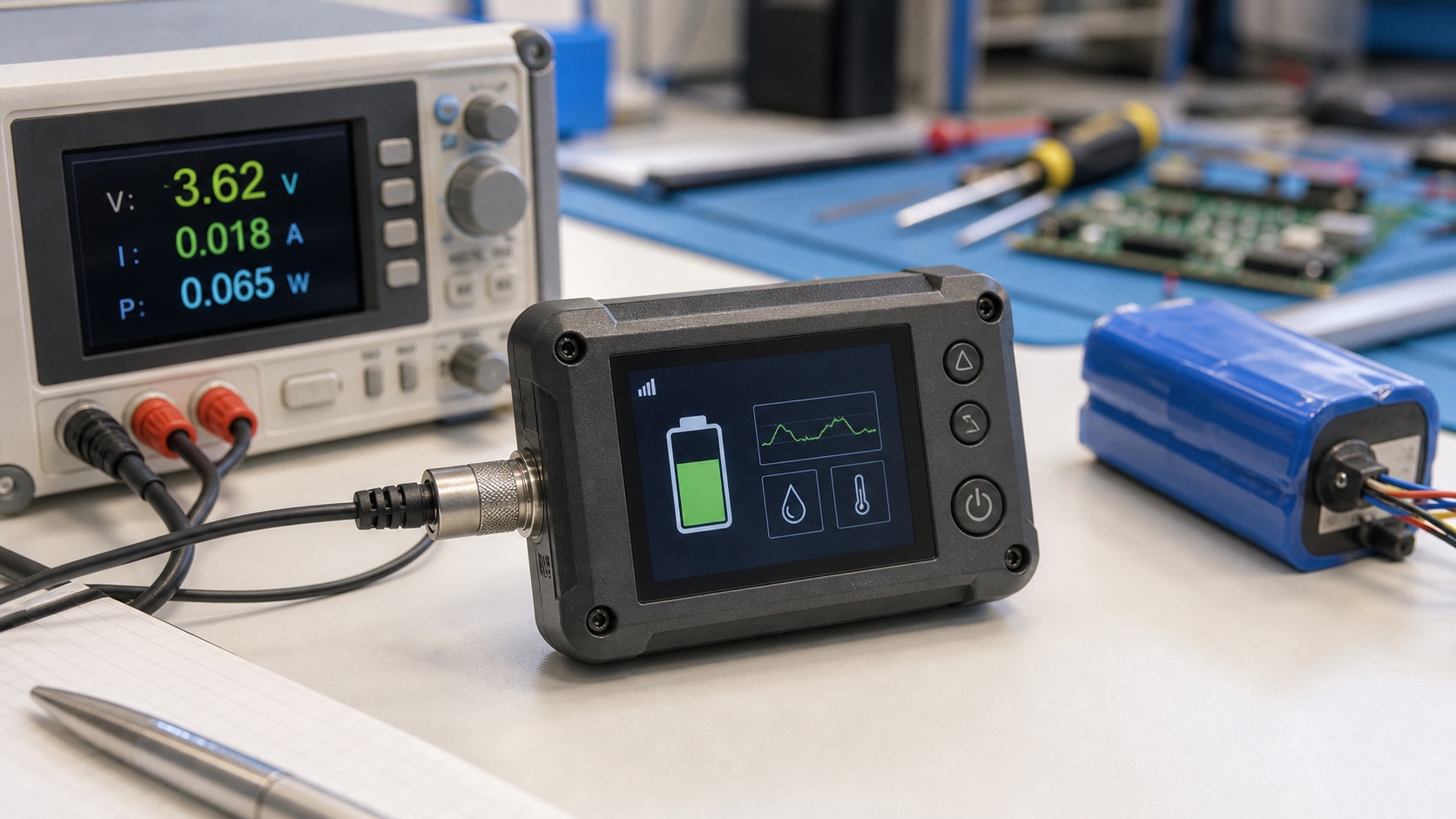
Battery-powered industrial devices need displays that are readable without draining the product too quickly. The TFT screen is often one of the largest power consumers in a portable instrument, sensor terminal, data logger, handheld controller, or wearable device. If display power is not planned early, battery life targets can become difficult to meet, just as compact wall panels such as a 4-inch square HMI need disciplined display behavior.
The goal is not simply to choose the lowest-power panel. The display still has to be readable, responsive, and durable. A good design balances backlight power, UI behavior, processor workload, sleep strategy, and real user habits.
Understand where power goes
In most TFT LCD modules, the backlight consumes much of the display power. The LCD driving electronics and touch controller also consume power, but the backlight is usually the main variable. Running a bright backlight continuously can shorten battery life dramatically.
Resolution and refresh rate also affect system power. A high-resolution screen may require more memory bandwidth and processor work. If the UI is simple, a lower resolution display may deliver the same usability with less power and cost.
Brightness strategy
Portable devices are used in different lighting conditions. A fixed high brightness setting wastes power indoors. A fixed low brightness setting fails outdoors. The best design often includes several brightness levels, automatic dimming, or a user-selectable outdoor mode.
Sleep timing should be tuned to the task. A measurement tool may need to keep the screen on while readings are being taken, then dim after inactivity. A sensor terminal may wake only when a button is pressed. The user should not fight the power-saving behavior, or they will disable it.
UI choices that reduce power
The UI can help battery life. Avoid constant animations, unnecessary full-screen refreshes, and bright white backgrounds when not needed. Darker themes can reduce perceived glare and allow lower backlight levels, though TFT LCD backlight power does not drop as directly as OLED content power.
Show the most important information clearly so users do not keep the screen on longer than necessary. A good status page with large numbers and clear icons is more efficient than a dense interface that requires repeated navigation.
Interface and processor impact
Display interface selection affects power. SPI may be adequate for simple low-update screens, but it can become inefficient if the UI needs frequent full-frame updates. RGB or MIPI can support smoother graphics, but the processor and memory system must be considered.
For microcontroller-based devices, partial updates and lightweight graphics libraries such as LVGL can help. For Linux-based portable tools, manage screen blanking, backlight control, and application refresh behavior carefully.
| Power area | Design action |
|---|---|
| Backlight | Dimming, sleep, ambient modes |
| Resolution | Match UI need, avoid excess pixels |
| Refresh | Reduce unnecessary updates |
| Touch | Use low-power wake modes if supported |
| Processor | Avoid heavy animations |
| User flow | Make readings easy to find |
Touch and wake behavior
Touch panels can support wake-on-touch, but this must be balanced against false wakes from moisture, handling, or electrical noise. Physical buttons may be more predictable for wake functions in rugged devices.
If PCAP is used, ask about low-power touch modes. Some controllers can scan slowly during sleep and wake the system when a valid touch is detected. Test this with gloves and real environmental conditions.
Battery testing
Battery life should be measured with realistic display use. Include startup, active measurement, menu navigation, idle periods, alarms, and outdoor brightness mode. A single continuous runtime test at low brightness does not describe the user’s experience.
Temperature also matters. Battery performance changes in cold conditions, and the display may need more brightness outdoors. Field testing is essential for devices used in service vehicles, cold storage, or outdoor maintenance.
Selecting the display size
A smaller display is not always lower power in practice. If the screen is too small, users may keep it on longer while they navigate menus or recheck readings. A slightly larger TFT with a clearer main screen can sometimes reduce interaction time and improve perceived battery life.
The right size depends on the job. A simple sensor node may only need a small screen for status. A portable analyzer may need 3.5 inches or more to show charts and setup pages. Do not choose size from the enclosure first without considering how the user reads the data.
Hardware design details
The backlight driver should support efficient dimming. PWM frequency, dimming range, and noise behavior should be checked because some handheld instruments include sensitive analog measurement circuits. Poor backlight design can create electrical noise that affects sensors.
Power sequencing also matters. The display should shut down cleanly in deep sleep and wake reliably. If the screen shows random flashes or corrupted content during startup, users may interpret it as a fault. A polished power sequence improves trust.
Service and user settings
Allow users to adjust brightness, but keep sensible defaults. If the display is too dim by default, users may set it permanently high and hurt battery life. If it is too bright at night, the device feels crude. Profiles such as indoor, outdoor, and auto can be useful without making the interface complex.
Battery warnings should be clear. A portable industrial device should show remaining power in a way that supports action: continue, charge soon, or stop and recharge before the next job.
Charging behavior should be visible too. If a device is plugged in overnight, the screen or indicator should make it clear whether charging is active, complete, or blocked by temperature. This reduces avoidable service issues caused by devices that appear charged but are not ready.
For field teams, predictability matters more than an optimistic battery estimate. A conservative runtime indicator builds trust because users can plan work around it.
If the device supports replaceable batteries, the display should handle battery swaps cleanly. Startup should be fast enough for field work, and the UI should clearly show whether saved measurements, settings, or calibration data were preserved after power loss.
FAQ
What consumes the most power in a TFT display?
The backlight usually consumes the most power. Brightness control is the most effective way to improve battery life.
Is SPI lower power than MIPI or RGB?
Not automatically. SPI can be efficient for simple screens, but slow full-frame updates may keep the processor active longer. The full system must be evaluated.
Can TFT LCD use a dark mode to save power?
Dark mode can improve comfort and allow lower brightness, but TFT LCD backlight power is mostly independent of image content.
What should be tested for battery life?
Test real usage: brightness changes, touch interaction, sleep and wake behavior, alarms, and temperature conditions.