LVDS vs MIPI DSI for Industrial TFT Displays
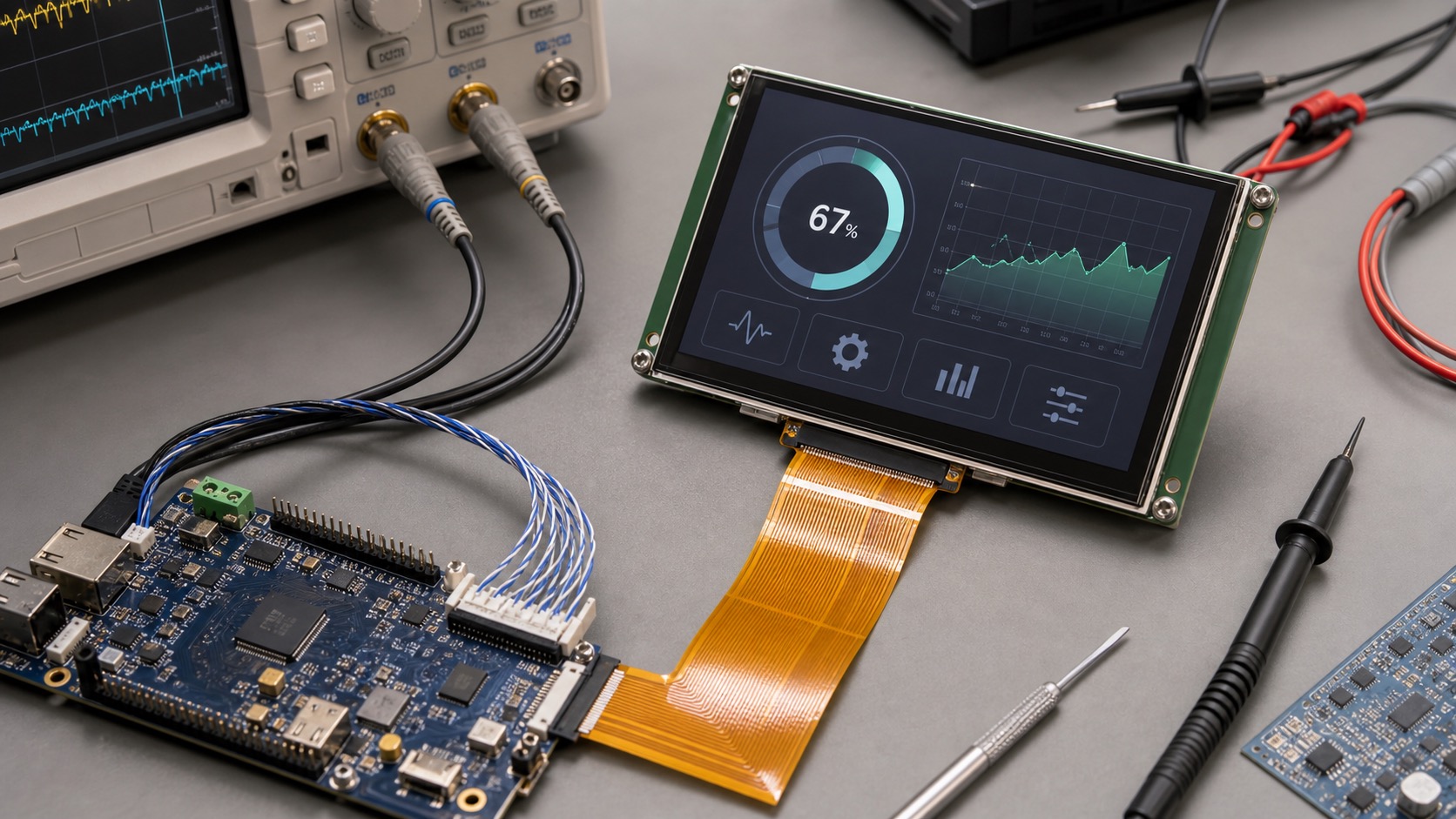
LVDS and MIPI DSI are two common interfaces for industrial TFT displays, but they come from different design traditions. LVDS is widely used in industrial and automotive equipment because it is stable, noise-resistant, and practical for longer internal cable runs. MIPI DSI comes from mobile and embedded electronics, offering high bandwidth with fewer pins and good support on modern ARM processors.
The right choice depends on the processor, screen resolution, cable length, EMC environment, lifecycle needs, and how much control the design team has over the display stack. Choosing only by what the display supplier has in stock can create problems later.
What LVDS does well
LVDS stands for Low Voltage Differential Signaling. It sends display data over differential pairs, which helps reject noise. This makes LVDS attractive for industrial cabinets, vehicle displays, and systems where the display is separated from the main board by a cable.
LVDS is mature. Many 7-inch, 10.1-inch, 12.1-inch, and larger TFT modules support it. Documentation is usually straightforward, and many embedded boards include LVDS output or support bridge chips. It is often a safe choice when the product needs long-term support.
The tradeoff is that LVDS may require more connector pins than MIPI, depending on configuration. It also does not include the same command-oriented display ecosystem used in mobile panels. Still, for many industrial HMIs, that simplicity is a benefit.
What MIPI DSI does well
MIPI DSI is compact and efficient. It uses high-speed lanes to carry display data and is common on modern application processors. If the product uses a mobile-style SoC, MIPI DSI may be the most natural interface.
MIPI works well in compact devices where the display is close to the main board. It can support high resolution and high refresh rates without a wide parallel bus. Many smaller embedded TFT modules now use MIPI because processor support has improved.
The challenge is that MIPI routing, initialization, and compatibility can be less forgiving. Display timing, lane count, command sequence, and driver support must match the host platform. Cable length is usually more limited than LVDS unless the design uses special bridges or carefully controlled routing.
Cable length and EMC
Industrial products often have less ideal layouts than consumer devices. A display may be mounted on a cabinet door, swing arm, front panel, or remote operator station. If the cable is long or routed near motors, relays, inverters, or power wiring, LVDS is often easier to validate.
MIPI can work very well, but it usually prefers short, controlled connections. For a compact handheld device or small panel where the display sits directly above the processor board, MIPI is attractive. For a cabinet door HMI with a longer cable, LVDS may reduce risk.
Software and driver support
MIPI panels often require specific initialization sequences and kernel driver configuration. If the software team controls the board support package and has experience with the SoC, this is manageable. If the team wants a lower-risk integration path, LVDS may feel simpler.
LVDS panels often behave more like fixed timing displays. Once timing parameters are set correctly, there may be fewer panel-specific commands. This can help teams that support products over long lifecycles.
| Factor | LVDS | MIPI DSI |
|---|---|---|
| Cable length | Better for longer internal runs | Best for short controlled runs |
| Noise immunity | Strong | Good with careful layout |
| Processor support | Common in industrial boards | Common in modern ARM SoCs |
| Pin count | Moderate to high | Low |
| Software setup | Often simpler timing setup | May need panel commands |
| Best fit | HMIs, cabinets, larger panels | Compact embedded devices |
Lifecycle and sourcing
Industrial products often stay in production longer than consumer devices. LVDS panels tend to have stable industrial availability, especially in larger sizes. MIPI panels can also be stable, but teams should check whether the module is tied to a consumer panel lifecycle.
If the product must remain available for five to ten years, ask about change control, compatible replacements, and whether the supplier can keep the same FPC and timing. Interface changes are costly after certification and tooling.
Practical selection advice
Choose LVDS when the display is larger, the cable is longer, the environment is electrically noisy, or the team wants a conservative industrial path. Choose MIPI DSI when the display is compact, close to the processor, and the SoC already has strong MIPI support.
In some cases, a bridge chip can convert between MIPI, LVDS, RGB, or eDP. This adds cost and complexity, but it can save a project when the preferred processor and preferred display do not share the same native interface.
Bring-up and debugging
Display interface problems can look mysterious because a blank screen may come from power sequencing, backlight enable, timing, lane mapping, initialization commands, cable orientation, or software drivers. A bring-up checklist is useful for both LVDS and MIPI designs.
For LVDS, confirm panel power rails, backlight driver, data mapping, clock polarity, bit depth, and timing. Some panels use different LVDS mapping formats, and a mismatch can produce strange colors or no image. For MIPI, confirm lane count, lane order, reset timing, command sequence, pixel format, and kernel driver configuration.
A simple test pattern is valuable. Before loading the final UI, show solid colors, gradients, and a moving rectangle. This helps identify color channel swaps, tearing, refresh issues, and backlight problems. It also gives hardware and software teams a shared way to discuss faults.
Documentation to request
Ask the display supplier for the full timing table, connector pinout, recommended power sequence, backlight circuit guidance, initialization code if needed, and mechanical drawing. For MIPI panels, ask whether the initialization sequence has been tested on your processor family or whether a reference driver is available.
These documents are not just engineering paperwork. They affect project schedule, field reliability, and the ability to replace the display later. Good interface documentation is a strong sign that the supplier understands industrial design requirements.
For long-lifecycle products, keep a copy of the exact timing and initialization settings in the product documentation. Future engineers may need to replace a panel years later, and a working software image alone is not enough. Clear records reduce the risk of a “same size” replacement behaving differently.
FAQ
Is LVDS better than MIPI for industrial displays?
Not always. LVDS is often safer for longer cables and noisy environments. MIPI is efficient for compact embedded systems with short connections.
Can MIPI DSI be used in industrial products?
Yes. It is widely used in embedded products, but routing, initialization, and driver support should be reviewed carefully.
Which interface is better for a 10.1-inch HMI?
LVDS is common for 10.1-inch industrial HMIs, especially when cable length matters. MIPI may work if the display is close to the processor.
What should be decided first?
Choose the processor and display interface together. Waiting until after PCB layout can force expensive redesigns.