Industrial TFT Displays for Marine and Transportation Dashboards
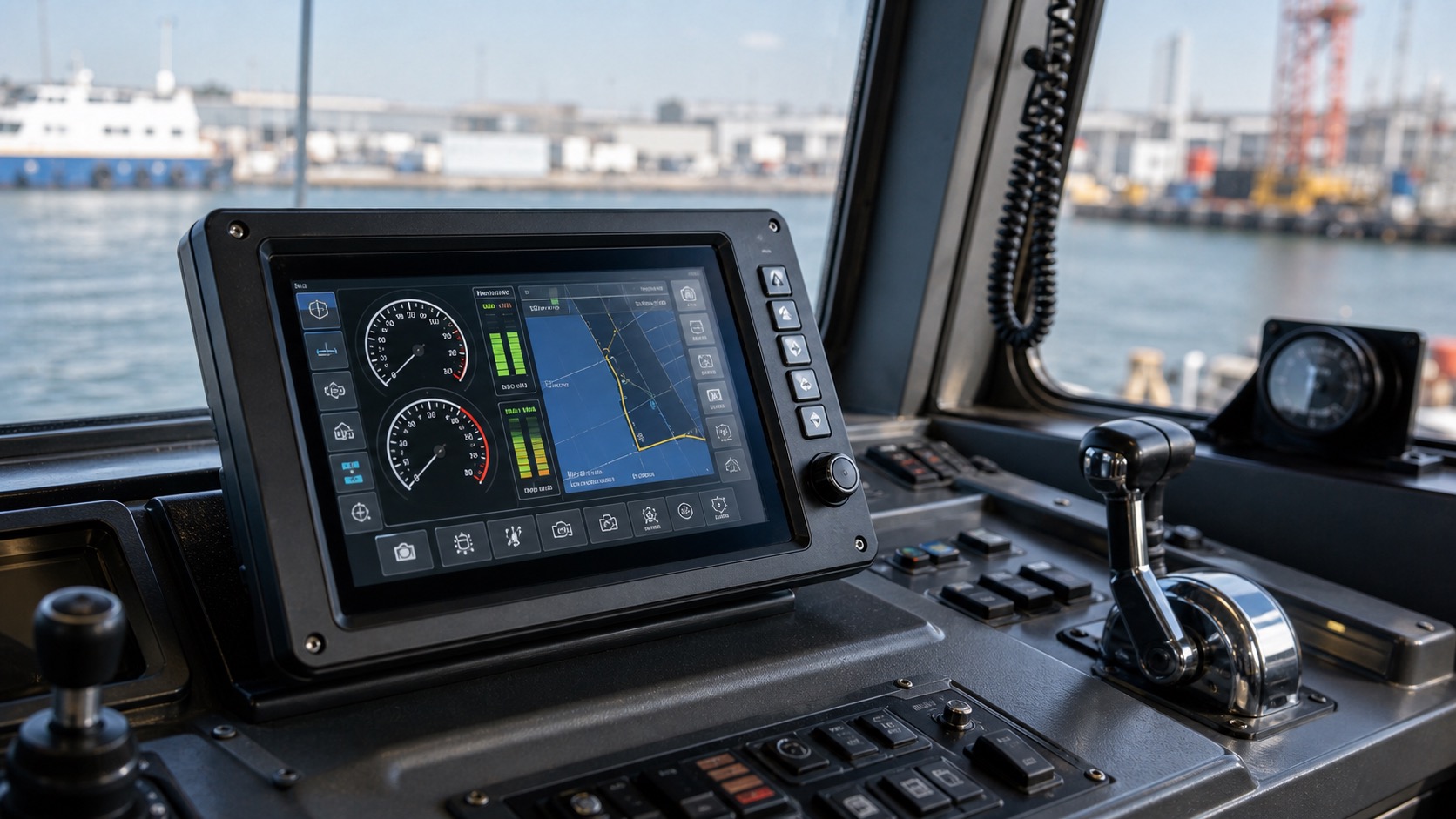
Marine and transportation dashboards place TFT displays in a demanding mix of sunlight, vibration, temperature change, moisture, and long operating hours. Whether the product is a vessel control panel, bus information display, rail equipment terminal, utility vehicle dashboard, or fleet monitoring unit, the screen must remain readable and dependable in the same way expected from long-life industrial TFT display systems.
Unlike a handheld device, a dashboard display is often viewed while the operator is moving, scanning other instruments, or reacting to changing conditions. The display must support quick understanding rather than slow reading.
Readability under changing light
Transportation environments can shift quickly from direct sun to shade, tunnel light, cabin light, or night operation. A display that looks excellent in daylight may be too bright at night. A screen that is comfortable indoors may wash out through a windshield.
High brightness, anti-glare glass, and optical bonding all help. Automatic dimming is also important. Marine and vehicle dashboards should reduce brightness at night to avoid operator fatigue while remaining bright enough for daylight use.
Vibration and shock
Dashboards are exposed to continuous vibration. The display module, connector, cable, mounting bracket, and cover glass must be designed as a system. A failure may come from a loose connector or cracked solder joint rather than the LCD panel itself.
Use secure connectors and avoid cable strain. If the display is mounted on a hinged panel or removable dashboard section, service movement should not stress the FPC or wiring. Potting, brackets, or locking connectors may be needed depending on the application.
Moisture and salt exposure
Marine environments add humidity and salt mist. Even protected cabins can see condensation. Front sealing, coating selection, and corrosion-resistant materials matter. A stainless or coated enclosure may protect the system, but the display window remains a critical opening.
The cover lens should be easy to clean and resistant to common cleaners. If the display is used on deck or near open windows, sealing and bonding should be reviewed carefully.
Interface and data display
Transportation dashboards often combine vehicle data, alarms, navigation, camera views, and system status. A 7-inch to 12.1-inch display is common, depending on viewing distance and information density. For camera or map views, higher resolution may be needed. For basic status dashboards, clarity and reliability matter more than pixel count.
Interfaces such as LVDS, eDP, MIPI, or HDMI controller boards may be used. Cable length and EMC requirements should guide the choice. Vehicle power supplies can be noisy, so power filtering and grounding should be reviewed with the display system.
| Challenge | Display response |
|---|---|
| Direct sunlight | High brightness, bonding, anti-glare |
| Night operation | Wide dimming range |
| Vibration | Secure connectors and mechanical support |
| Humidity | Sealed front and corrosion-aware materials |
| Angled viewing | IPS or wide-view TFT |
| Long service life | Industrial lifecycle support |
UI design for motion
A dashboard UI should be readable at a glance. Large numbers, clear icons, and consistent alarm colors help. Avoid dense tables on the main screen. Detailed diagnostics can live on secondary pages.
Critical warnings should use color, icon, and text together. Relying only on red or yellow is risky, especially under bright sunlight or for users with color perception differences.
Testing in the real cabin
Dashboards should be tested in the actual cabin, not only on a bench. Check viewing angles from the operator seat, glare through windows, night brightness, vibration, and readability while the equipment is moving. A short field trial can reveal issues that specifications do not show.
For marine systems, humidity and salt exposure should be considered early. Even if the display passes electrical tests, long-term corrosion can cause failures in connectors or mounting hardware.
Power and safety behavior
Transportation displays should handle unstable power gracefully. Vehicle and marine power systems can see cranking dips, load changes, and electrical noise. The display should recover cleanly after a voltage drop and should not show misleading information during startup.
If the display is part of a safety-related dashboard, define what happens when communication is lost. A blank or frozen screen can confuse the operator. It is usually better to show a clear fault state, stale-data warning, or reduced-mode message. The display hardware and software should be designed together around these failure states.
Service and replacement
Dashboards are often serviced in the field, not in a clean workshop. Replacement should not require delicate cable handling or special optical alignment. Secure connectors, accessible mounting points, and clear calibration steps can reduce service time.
Fleet operators also care about consistency. If a replacement display has a different brightness curve or viewing angle, drivers may notice. For long-term programs, ask suppliers how they handle panel changes and whether optical performance is controlled across batches.
Documentation for operators
Good dashboard design includes operating notes. Night mode, alarm meanings, brightness adjustment, and cleaning instructions should be documented in plain language. That documentation makes the display feel like part of a real product, not just a screen installed in a panel.
When possible, include field feedback from operators before final release. People who use the vehicle or vessel daily will notice glare, slow wake-up, confusing icons, or hard-to-reach controls faster than a design team reviewing screenshots.
Cleaning should be part of the field trial. Dashboard displays collect dust, fingerprints, salt residue, and cleaning marks. If the screen is difficult to wipe or the coating shows wear quickly, the issue will affect perceived quality even when the electronics are reliable.
For shared fleets, consider user profiles or simple brightness presets. Drivers and operators may work in different lighting conditions, and a fast way to adjust day or night viewing can reduce complaints without adding a complex settings menu.
Mounting angle should be locked down before final display approval. A dashboard tilted a few degrees differently can change reflections, perceived brightness, and touch reach. Testing the final bracket is just as important as testing the LCD module.
If the dashboard supports alarms, test alarm visibility while the operator is seated and while the cabin is vibrating. A warning that looks obvious in a static screenshot can be missed when the vehicle is moving or the vessel is in bright water glare.
FAQ
What brightness is needed for vehicle dashboards?
It depends on windshield angle and sun exposure. Many rugged dashboards use high brightness plus dimming, rather than one fixed brightness level.
Is optical bonding useful in transportation displays?
Yes. It improves contrast under sunlight and can strengthen the display stack against vibration and moisture-related issues.
Which interface is best for dashboard TFTs?
LVDS and eDP are common for larger displays. MIPI can work in compact systems. Cable length and controller support should decide.
What is the main design mistake?
Testing only indoors. Transportation displays must be checked in real lighting, vibration, and operator positions.