Outdoor TFT Touch Panels: Designing for Rain, Gloves, and Real Operators
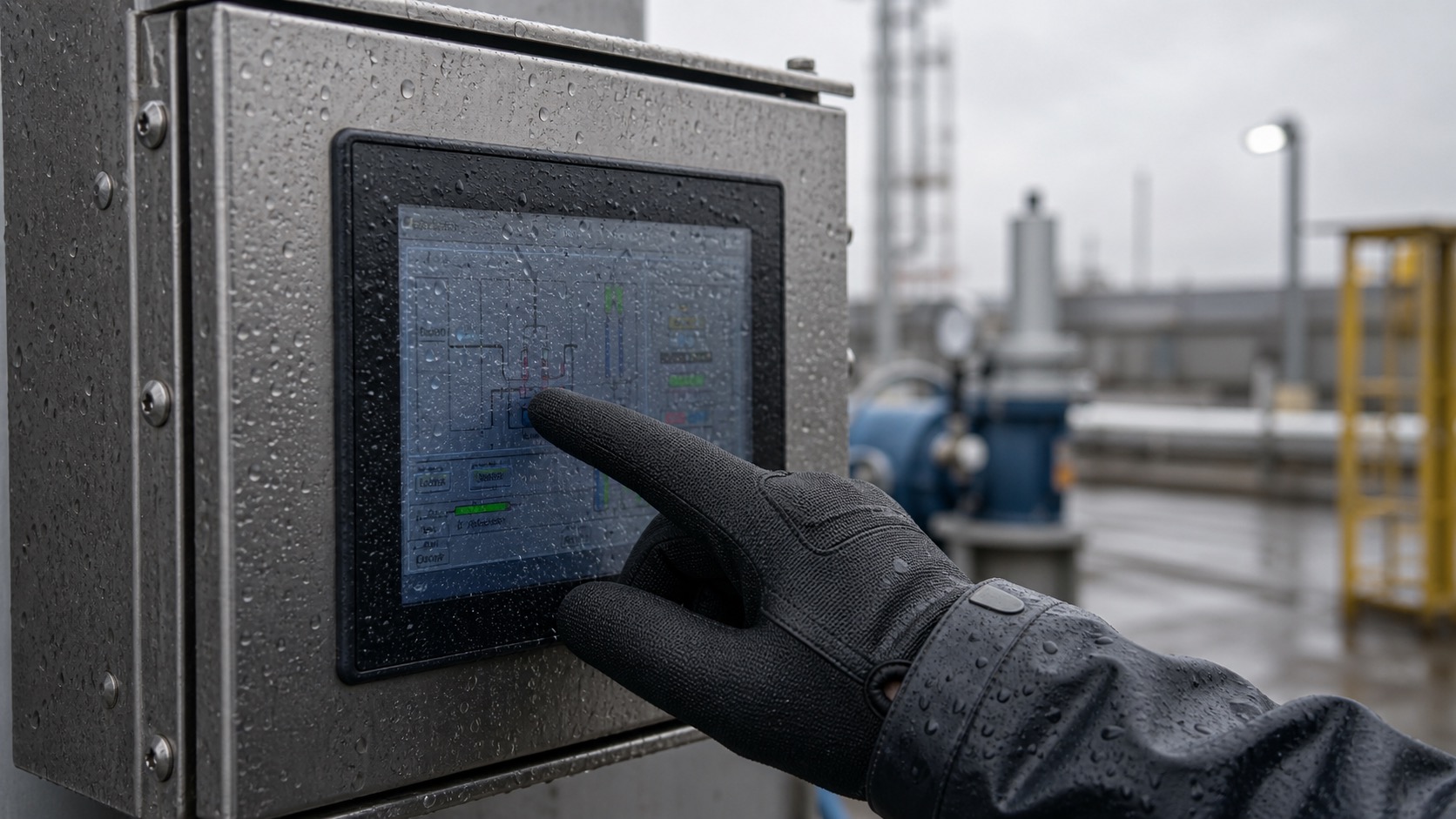
Outdoor touch panels are easy to underestimate. On a bench, a projected capacitive touch screen may feel smooth and responsive. Put the same panel behind thick glass, add water droplets, electrical noise, gloves, and a cold operator, and the experience can change completely, even when the underlying industrial TFT display is well specified.
For industrial TFT products, touch performance is part of the display specification. Operators do not care whether the problem comes from the LCD, the touch sensor, the controller, the cover glass, or the enclosure ground. They only know that the screen did not respond when they needed it.
Outdoor TFT touch panels need to be designed around the uncomfortable details: rain, gloves, cold hands, thick glass, grounding, cleaning, and users who expect the screen to respond the first time.
Choose the touch technology by the job
Most modern outdoor TFT products use projected capacitive touch, often called PCAP. It supports clean front glass, multi-touch, good optical clarity, and a familiar user experience. It also works well with sealed enclosures because the touch sensor can sit behind a protective cover lens.
Resistive touch still has a place. It can work with any object, including heavy gloves or a stylus, and it is sometimes chosen for low-cost equipment or applications where precise single-point input matters more than a premium feel. But resistive touch layers wear over time, reduce optical clarity, and may not match the expected feel of newer industrial interfaces.
For outdoor systems, PCAP is usually the preferred option, but it must be engineered carefully. A generic PCAP stack designed for an indoor device may not handle rain, electrical noise, or thick cover glass.
| Requirement | PCAP touch | Resistive touch |
|---|---|---|
| Cover glass support | Strong | Limited by stack design |
| Glove operation | Possible with tuning | Usually strong |
| Water rejection | Possible with proper controller | Depends on design |
| Optical clarity | High | Lower |
| Long-term surface durability | High with glass | Membrane can wear |
| Multi-touch gestures | Supported | Usually limited |
Rain is not just another touch input
Water on a capacitive touch surface changes the electrical field. Droplets can look like touches, connect touch points, or make a finger harder to detect. The controller firmware must distinguish between intentional input and water noise.
Good water handling starts with the whole front design. A flat surface helps water move away instead of pooling near the active area. Gaskets and bezels should not create edges where water sits. If the screen is mounted at an angle, the drainage path should be considered during mechanical design.
The touch controller should support wet operation or water rejection modes. These modes often reduce sensitivity slightly to avoid false touches. That is why the design should be tested with the actual cover glass, not just a bare sensor. The difference between 1.1 mm, 2 mm, 3 mm, and 4 mm glass can be significant.
Glove support needs a real definition
“Glove touch” sounds simple, but gloves vary widely. Thin nitrile gloves, winter work gloves, leather gloves, and rubber-coated industrial gloves behave differently. A display can work with one type and fail with another.
The project should define the glove type early. If operators use thick gloves, the UI may need larger buttons and fewer precise gestures. If the system is used in cold weather, the panel should be tested at low temperature because touch sensitivity and operator behavior change together.
There is also a tradeoff between glove sensitivity and false touch resistance. Increasing sensitivity can help detect gloves, but it may also make the system more vulnerable to water, EMI, or accidental touches. The right tuning is application-specific.
Cover glass changes everything
Outdoor touch displays usually need cover glass for impact resistance, sealing, chemical resistance, and cleaning. The glass thickness, coating, ink border, and bonding method all affect touch behavior.
Thicker glass protects the product but weakens the touch signal. Anti-glare or anti-reflective coatings improve outdoor readability but must be checked for durability and cleaning compatibility. Printed borders can hide adhesive and mechanical features, but they must not interfere with the active area or sensor routing.
Optical bonding can improve readability and mechanical strength, but it also locks the stack together. That makes early validation more important. Once a bonded module is approved, changing the cover glass or adhesive later may require fresh touch tuning.
Electrical noise and grounding
Outdoor equipment often sits near motors, pumps, chargers, relays, inverters, long cable runs, and metal cabinets. These can create electrical noise that affects touch stability. A touch panel that works in the lab may become unstable after installation.
Grounding should be reviewed with the full system. The LCD frame, touch controller board, cover lens, enclosure, and power supply all interact. Shielding, cable routing, and controller placement can reduce problems. Long FPC cables should be avoided when possible, or at least tested under realistic noise conditions.
UI design for outdoor touch
Hardware cannot solve every usability issue. Outdoor interfaces should avoid tiny controls, edge gestures, and low-contrast disabled states. Buttons should be large enough for gloves. Important actions should have clear spacing so accidental touches are less likely.
When operators use the display in rain, they may wipe the screen, touch quickly, or press harder than expected. The interface should be forgiving. Confirmation steps may be useful for critical commands, but they should not slow routine tasks unnecessarily.
Validation checklist
Before approving an outdoor TFT touch panel, test the complete front stack. Use the final LCD, touch sensor, cover glass, bonding method, enclosure, cable, power supply, and firmware settings. Test with water droplets, wet fingers, the defined gloves, low and high temperature, and expected electrical noise.
It is also useful to record field-style videos during testing. Short videos show whether the panel feels natural or merely passes a narrow technical test.
For outdoor products sold into different regions, keep the tuning file and test notes under version control. A touch panel approved for light rain in one market may need different settings for cold weather, thicker gloves, or a revised cover lens. Treating touch tuning as a controlled engineering item helps prevent unexplained field differences later.
FAQ
Can a capacitive touch screen work in rain?
Yes, but only when the controller, sensor, cover glass, and mechanical design support wet operation. It should be tested with real water conditions and the final front stack.
How thick can cover glass be for PCAP touch?
The limit depends on the sensor pattern, controller, glass material, and glove requirement. Many industrial designs use thicker glass than consumer devices, but sensitivity and noise margin must be validated.
Is resistive touch better for gloves?
Resistive touch is naturally strong with gloves because it responds to pressure. PCAP can also support gloves, but it needs proper tuning and a clear definition of glove type.
What should be tested before production?
Test wet operation, glove operation, false touches, EMI exposure, temperature range, cleaning behavior, and long-term touch stability using the final enclosure and display assembly.