Industrial TFT HMIs for Packaging Machinery
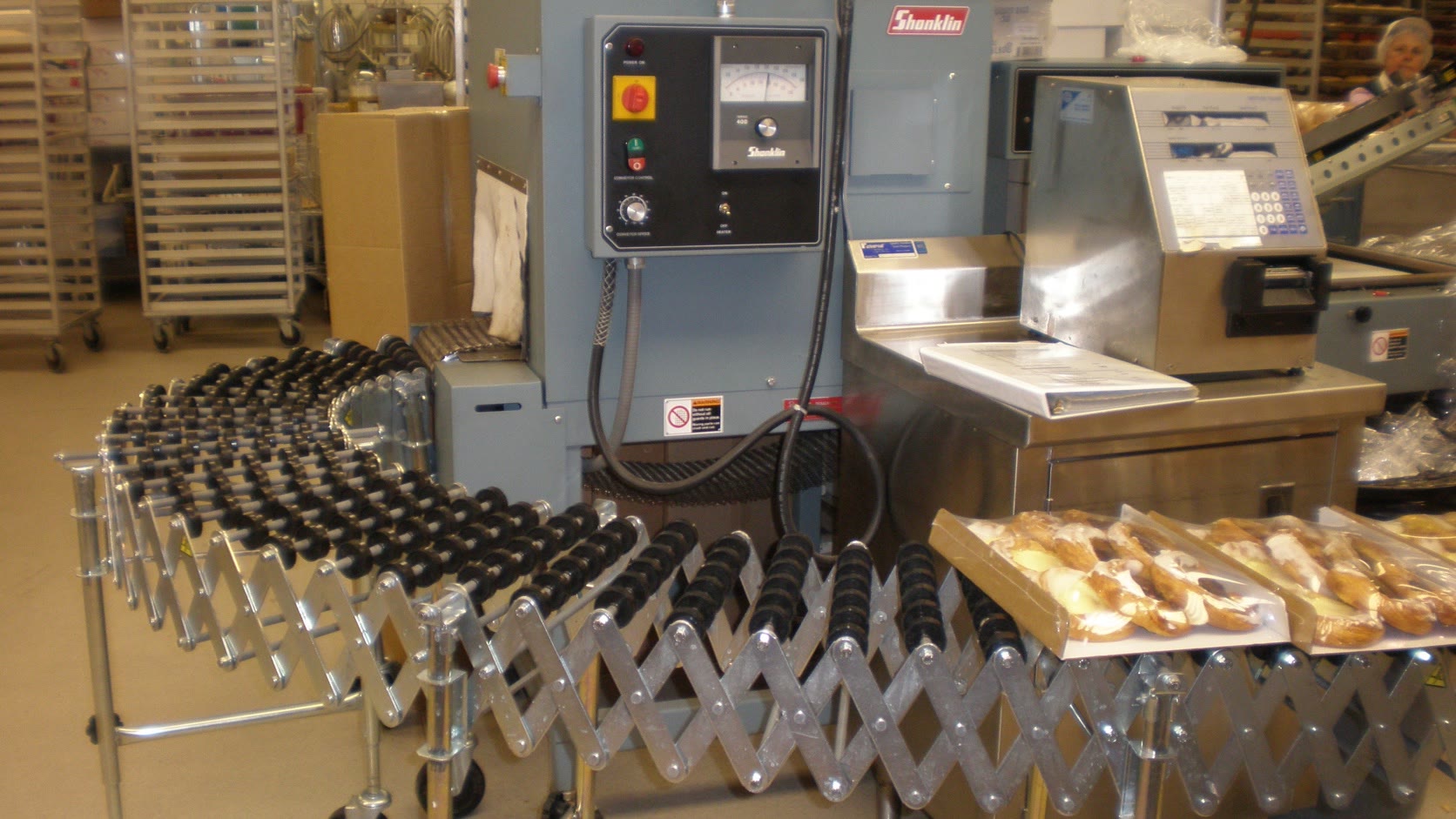
An HMI on packaging machinery is mostly a changeover and recovery tool. Operators use it to load recipes, thread material, jog axes, clear faults, confirm temperatures, and get the line running again. The screen may show production counts all day, but its real value appears during the five minutes when cartons stop feeding or a seal temperature drifts.
That changes how the display should be specified. A polished dashboard is less important than fast navigation, unambiguous machine state, and a front surface that survives cleaning. The HMI also has to fit a controls architecture that may include a PLC, motion controller, vision system, printer, scale, and upstream or downstream equipment.
Size the HMI around changeover work
Small standalone machines often work well with a 7-inch display. A complete packaging cell with recipes, servo setup, trends, quality checks, and line coordination is usually easier to operate on 10.1 inches or larger. The 10.1-inch HMI selection guide covers the enclosure and interface tradeoffs in more detail.
Do not decide from the home screen alone. Review the busiest legitimate page: perhaps a recipe comparison, alarm history, maintenance I/O page, or multi-zone temperature view. If that page forces 10-pixel labels and tiny touch targets, the display is too small or the information architecture needs work.
| Operator task | What the HMI should provide | Common design mistake |
|---|---|---|
| Product changeover | Guided sequence and recipe confirmation | Hiding critical settings across unrelated pages |
| Material threading | Clear jog controls and illustrated path | Using touch-only motion controls without hold-to-run logic |
| Fault recovery | First-out alarm and affected machine zone | Showing a list of secondary alarms with equal priority |
| Quality check | Current limits, actual value, and trend | Showing pass/fail without the measured value |
| Cleaning | Dedicated cleaning mode and locked motion | Leaving normal controls active during washdown |
The machine risk assessment determines which actions need hardware controls, guarded modes, or safety-rated functions. The touchscreen should communicate state and request actions; it should not be assumed to provide a safety function simply because a red button is drawn on it.
Build the UI around abnormal operation
Production screens should stay quiet when the machine is healthy. Use color for conditions that require attention, not to decorate every motor and conveyor. An operator needs to see whether the line is stopped, starved, blocked, in manual, or waiting for another machine. Those states are more useful than an animated drawing that looks busy all the time.
Alarm text should say what happened and where. “Drive fault 21” is a maintenance code, not an operator instruction. A better alarm identifies the infeed conveyor drive, preserves the original fault, and provides a short check that does not encourage bypassing a guard. ISA-101 addresses HMI lifecycle, navigation, graphics, and alarm presentation; the ISA-101 standards overview is useful when writing a project-specific HMI philosophy.
Recipe changes need deliberate confirmation. Show the active recipe, the selected replacement, and any parameters that differ. Log who changed it when user roles are part of the system. If the machine can damage tooling with the wrong format parts, add a mechanical or sensor check rather than relying only on the screen prompt.
Touch behavior in a production area
PCAP touch is a good fit for a flush, cleanable front, but it must be tuned with the final glass, gasket, grounding, and enclosure. Packaging floors introduce wet gloves, flour dust, plastic film, condensation, and cleaning residue. Each can create missed or false touches.
Use large targets for frequent actions and separate buttons that have opposite effects. Jog functions often benefit from a physical hold-to-run device or a carefully designed press-and-hold interaction. A single tap that starts sustained motion is easy to trigger unintentionally.
Where aggressive washdown is required, the display selection becomes a front-assembly decision rather than an LCD decision. The cover glass, adhesive, bezel, gasket, cable entry, and rear enclosure all matter. Our washdown HMI guide explains why a front IP rating does not automatically make the full panel suitable for the plant’s cleaning method.
Readability under stainless steel and bright lights
Packaging machinery commonly uses stainless panels and strong overhead LEDs. Both produce reflections. A moderate anti-glare cover can help, but high haze can soften small text. Test the screen at the operator’s actual angle, with the production lighting switched on.
For indoor machinery, 400 to 700 nits is a practical starting range. Higher brightness may be useful near dock doors or large windows, but it increases heat and backlight stress. Optical bonding can improve perceived contrast and make the stack more resistant to vibration. It is not mandatory for every indoor line.
Viewing angle matters when the HMI is mounted on a swing arm or shared by operators standing on opposite sides. An IPS-type TFT reduces color and contrast shift. More important, keep the primary values large enough to read while the operator is also watching the machine.
Connectivity and controls architecture
Many packaging HMIs communicate through industrial Ethernet, CAN, or serial protocols to a PLC or embedded controller. A display module with LVDS or MIPI is a different design class from a complete HMI terminal with its own processor. Clarify that boundary before sourcing.
If the machine builder owns the embedded computer, a bare TFT provides more control over boot time, software, and mechanical fit. A panel HMI is faster to integrate and easier for controls staff to support, but it adds a vendor runtime, hardware platform, and lifecycle dependency. The right choice depends on who will maintain the software in ten years.
Keep display and communication cables away from servo and heater switching paths. Provide strain relief at moving arms and door hinges. The CAN and RS485 terminal guide covers termination, grounding, and cable issues for serially connected display terminals.
Cleaning, sealing, and materials
An IP65 front may be adequate for wipe-down service but insufficient for high-pressure, high-temperature cleaning. IEC 60529 classifies enclosure protection under defined tests; it does not certify chemical compatibility. Review the official IEC 60529 scope, then specify detergents, concentration, temperature, dwell time, and cleaning frequency separately.
Avoid deep bezels and exposed fasteners on food-contact-adjacent equipment. A flush front is easier to inspect. Check printed legends and coatings after repeated chemical exposure. A coating that passes a short wipe test can still become cloudy after months of daily cleaning.
Validation on the actual line
The useful test is a representative production shift, not a clean bench demo.
| Validation activity | Acceptance question |
|---|---|
| Full recipe change | Can a trained operator complete it without a cheat sheet? |
| Induced common faults | Does the first-out cause remain visible? |
| Wet/glove touch test | Are intended touches reliable without false input? |
| Cleaning cycle | Do sealing, coating, and touch behavior remain stable? |
| Network interruption | Does the HMI show stale or lost data clearly? |
| Power cycle | Is recovery predictable and is the active recipe preserved? |
| Maintenance access | Can the display or cable be replaced without major disassembly? |
Capture screen response during actual servo motion, heater cycling, printer operation, and upstream/downstream stops. That is when grounding and communication problems tend to appear. Use the wider industrial TFT validation checklist to define temperature, electrical, optical, and endurance checks.
Questions engineers ask early
What size HMI is suitable for packaging machinery?
A 7-inch panel is often enough for a small standalone machine. A 10.1-inch or larger display is easier to justify when recipes, multiple temperature zones, servo setup, trends, and line coordination must be visible without crowded menus.
Does an IP65 front make the HMI washdown-ready?
No. IP classification and chemical compatibility are separate questions, and a front rating does not cover the rear enclosure, cable entries, gasket installation, or the plant’s actual pressure, temperature, and cleaning agents.
Bottom line
A packaging HMI should shorten changeovers and make faults easier to recover without inviting unsafe shortcuts. Choose the display around the hardest operator tasks, then validate touch, cleaning, glare, communications, and restart behavior on the real line. If an operator can identify the affected zone and next safe action in a few seconds, the screen is doing useful work.
Engineering references and image credit
- ISA-101 series of standards for HMI design and lifecycle
- IEC 60204-1: Electrical equipment of machines
- IEC 60529: Degrees of protection provided by enclosures
Hero photograph: © BrokenSphere / Wikimedia Commons, licensed under CC BY-SA 3.0. This cropped and resized copy remains available under the same license. The photograph is illustrative; no manufacturer or retailer endorsement is implied.