Sunlight Readable TFT Displays for Outdoor Kiosks: What Actually Matters
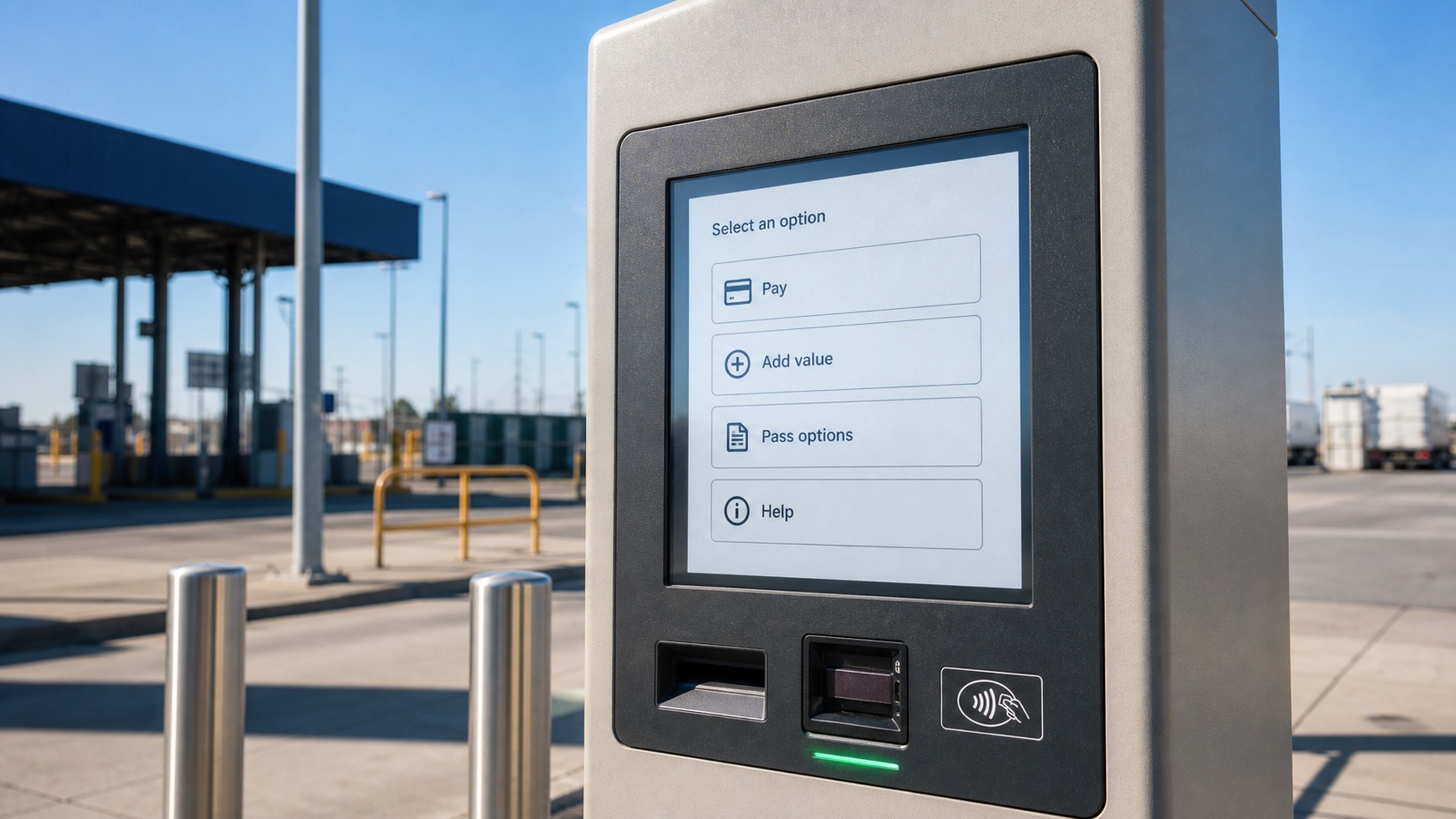
Outdoor kiosks are unforgiving display applications. A screen that looks bright in an office can become washed out at noon, difficult to touch in rain, and unreliable after a summer of heat cycling. For a ticket machine, payment terminal, access gate, parking kiosk, EV charging station display, vending or ticketing machine, or self-service industrial terminal, the TFT display is not just a visual component. It is the part of the system that users judge first.
The usual shortcut is to ask for a higher nit rating. Brightness matters, but it is only one part of a sunlight readable display. Real outdoor readability depends on backlight output, surface reflection, cover glass, optical bonding, viewing angle, thermal design, and the way the interface is drawn. A 1000 nit TFT with a reflective cover lens can be harder to read than a lower-brightness module with better optical treatment.
The real test is whether someone can read and use the kiosk quickly in the field, not whether the display looks impressive on a datasheet.
Start with the actual light condition
The first question is not “How many nits do we need?” It is “Where will the kiosk be installed?” A screen under a shaded canopy has a different requirement from a payment terminal facing west in direct afternoon sun. Glass buildings, polished pavement, snow, water, and light-colored concrete can all increase glare.
For many outdoor kiosks, a TFT brightness range of 800 to 1500 nits is common. Shaded or semi-outdoor equipment may work well around 700 to 1000 nits. Fully exposed terminals often need 1000 nits or more, especially when the screen is behind thick cover glass. But brightness alone should not be used as the final acceptance test. The display should be reviewed outdoors with the real cover lens, touch panel, front bezel, and UI colors.
One useful field check is the worst reading angle. Users rarely stand perfectly centered in front of a public kiosk. They approach from the side, lean forward, carry bags, or use the terminal quickly. A display that is acceptable from straight on may fail when the viewing angle changes.
Brightness, contrast, and reflection
High brightness helps the screen compete with ambient light, but contrast decides whether the content is actually readable. Outdoor readability improves when the black level stays dark and the front surface reflects less light back to the user.
Anti-glare coating diffuses reflections, which can make strong mirror-like reflections less distracting. Anti-reflective coating reduces reflection more directly, often improving contrast, but it may be more sensitive to cleaning, abrasion, and cost. Some products use both approaches, depending on the cover lens and environment.
Optical bonding is often the strongest upgrade for outdoor kiosks. By removing the air gap between the LCD, touch panel, and cover glass, bonding reduces internal reflections and improves perceived contrast. It also makes the front stack feel more solid and can improve impact resistance. The tradeoff is cost, repairability, and process control. If the kiosk is expected to run for years outdoors, the improvement is usually worth serious consideration.
| Design choice | Benefit | Watch point |
|---|---|---|
| 800-1500 nit backlight | Better visibility in bright light | Adds heat and power draw |
| Anti-glare cover glass | Reduces harsh reflections | Can slightly soften image sharpness |
| Anti-reflective coating | Improves contrast | Needs careful cleaning and durability review |
| Optical bonding | Reduces internal reflection | Higher cost and harder rework |
| IPS TFT panel | Wider viewing angle | Confirm brightness and temperature grade |
Touch performance is part of readability
If the user can see the screen but cannot operate it, the design still fails. Outdoor kiosks commonly use projected capacitive touch because it supports cover glass, modern UI gestures, and good durability. The touch design must be tuned for the chosen cover thickness, coating, water exposure, and grounding conditions.
Rain is a real issue. Water droplets can create false touches or make the screen ignore a finger. A well-designed outdoor touch panel should support water rejection or wet-hand operation, depending on the expected use case. Payment terminals and ticketing machines also need reliable operation when users wear thin gloves in cold weather.
Mechanical design matters too. A raised bezel may protect the display, but it can trap water or dirt near the active area. A flush front surface is easier to clean, yet it must be sealed carefully. The display supplier, touch supplier, and enclosure designer should review this together, because a good LCD module can perform poorly after it is installed behind the wrong front glass.
Thermal design cannot be left until the end
A high brightness TFT produces more heat than a normal indoor display. Direct sunlight adds more heat through the cover lens. Inside a sealed kiosk, the display may sit near power supplies, payment electronics, wireless modules, and metal surfaces that store heat.
Thermal problems may show up as backlight aging, color shift, reduced brightness, touch drift, or darkening of the LCD at high temperature. The design should consider heat paths from the LED backlight and driver board into the enclosure. Metal brackets, thermal pads, ventilation paths, and brightness control can all help.
Automatic brightness adjustment is useful in outdoor kiosks. At night or in shade, the backlight can dim to reduce heat, power, and glare. During bright daylight, it can increase brightness only when needed. This improves user comfort and can extend backlight life.
UI design should support the hardware
Outdoor TFT selection is not only a hardware issue. The interface should use strong contrast, large touch targets, and simple page structure. Thin gray text, pale icons, and low-contrast backgrounds may look clean on a design monitor but fail outside.
Buttons should be large enough for quick operation. Important actions should not rely only on color. Error messages should be short and visible. If the kiosk is used by the public, the UI should be tested with real users in daylight rather than approved only from screenshots.
Procurement checks before release
Before locking the display, ask for more than a brightness value. Review the operating temperature range, storage temperature, backlight lifetime, touch controller behavior, cover lens specification, bonding option, interface, mechanical drawing, and long-term availability.
For industrial kiosks, lifecycle is often as important as performance. A public terminal may stay in service for five to ten years. If the TFT panel changes after one year, the redesign cost can be much higher than the small saving from choosing a consumer-grade module.
FAQ
Is 1000 nits always enough for an outdoor kiosk?
Not always. A shaded kiosk may work with less, while a fully exposed terminal may need more. Cover glass reflection, optical bonding, UI contrast, and viewing angle can change the result as much as the nit rating.
Should outdoor kiosks use optical bonding?
For exposed kiosks, optical bonding is often a strong choice because it reduces internal reflections and improves perceived contrast. It is less necessary for fully shaded indoor-style terminals.
Is capacitive touch suitable outdoors?
Yes, if it is tuned for the cover lens, grounding, water exposure, and glove requirements. A standard indoor capacitive touch design should not be assumed to work outdoors without testing.
What is the biggest mistake in outdoor display selection?
The most common mistake is selecting by brightness alone. A reliable outdoor kiosk display needs brightness, reflection control, thermal management, touch tuning, and a readable UI working together.