Washdown TFT HMIs for Food and Pharmaceutical Equipment
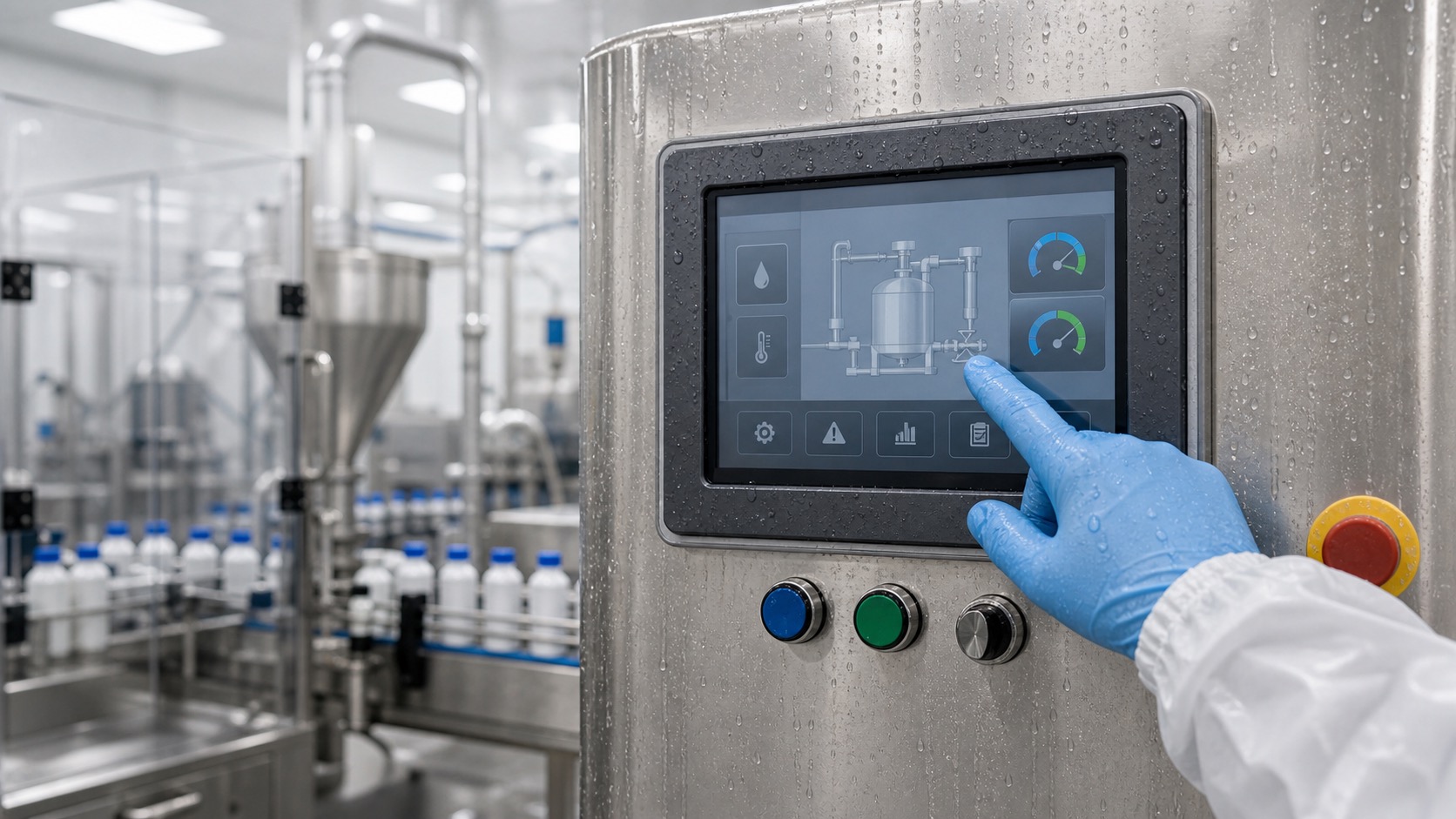
Food, beverage, and pharmaceutical equipment needs HMI displays that are easy to clean, hard to contaminate, and reliable under frequent washdown. A standard industrial touch panel may not be enough. The front surface, sealing, bezel shape, touch behavior, and materials all need to support hygiene and maintenance, especially when the display supports regulated workflows similar to medical imaging and diagnostic devices.
In these environments, the display is touched by gloved operators, wiped with cleaning agents, and exposed to moisture. It may sit on a filling line, packaging machine, mixer, inspection station, or laboratory device. The HMI must be readable and safe without creating cleaning problems.
Cleanability starts with shape
A hygienic HMI front should minimize dirt traps. Deep bezels, exposed seams, sharp edges, and screw pockets can collect residue. A flush or near-flush glass front is often easier to wipe and inspect.
The enclosure around the display matters as much as the TFT module. Gaskets should be compressed correctly, and the front design should avoid ledges where water can sit. If the equipment is cleaned daily, small design details become long-term reliability issues.
IP rating and real washdown
Front-face IP65 or IP67 may be required, but the rating should match the cleaning method. Light wiping is different from hose-down cleaning. High-pressure washdown may require stronger sealing and careful mechanical design.
Remember that IP rating does not automatically cover detergents or disinfectants. Chemical compatibility must be reviewed separately. The cover glass coating, adhesive, gasket, and enclosure material should all be checked.
Touch operation with gloves and water
Operators in food and pharmaceutical environments often wear gloves. They may also touch the screen with wet hands. PCAP touch can work well when tuned for gloves and water rejection, but it must be tested with the final cover glass and enclosure.
Large buttons are important. A cleanroom glove or food-handling glove reduces precision. The UI should avoid tiny targets and should provide clear confirmation for critical actions such as recipe changes, batch release, or cleaning mode.
Display readability
These facilities often use bright overhead lighting and stainless surfaces. Reflections can make a glossy screen hard to read. Moderate anti-glare treatment or optical bonding may improve usability. However, coatings should be checked for cleaning durability.
Alarm visibility matters. Operators should quickly see whether the line is running, paused, in cleaning mode, or faulted. Use plain language and strong contrast rather than decorative screens.
| Requirement | Design response |
|---|---|
| Daily cleaning | Flush glass and compatible coatings |
| Washdown | Proper gasket and front IP rating |
| Gloves | Large touch targets and PCAP tuning |
| Bright lighting | Anti-glare or bonding evaluation |
| Batch control | User levels and clear confirmations |
| Maintenance | Service screen and cleaning mode |
Cleaning mode and service access
A cleaning mode can temporarily lock touch input or show a simplified screen while the front is wiped. This prevents accidental operation during cleaning. The design should make it obvious when the system is locked and how to return to normal operation.
Service screens should show touch test, network status, firmware version, sensor state, and recent alarms. In regulated environments, auditability may also matter. The HMI should support the process rather than becoming an undocumented weak point.
Supplier validation
Ask suppliers about glass type, coating durability, gasket compatibility, bonding process, touch tuning, and cleaning agent tests. If possible, test samples with the exact chemicals and cleaning cloths used in the facility.
For pharmaceutical equipment, documentation and consistency are important. Changes to the touch panel, coating, or display module may require review. Choose components with controlled change notice processes.
Hygienic UI behavior
The user interface should support the cleaning process. A cleaning screen can disable touch input, show a countdown, or require confirmation before the machine returns to production mode. This helps prevent accidental parameter changes while operators wipe the panel.
Recipe and batch controls should be separated from routine actions. In food and pharmaceutical environments, accidental changes can waste product or create documentation issues. A clear permission structure makes the HMI safer without making normal operation slow.
Alarm messages should use plain language. Operators need to know whether the issue is a door, sensor, temperature, pressure, or cleaning state. Short, direct messages work better than technical codes on the main screen. Codes can still be available in a service page.
Mechanical details that matter
The display should not create ledges where residue collects. Bezel transitions, gasket lines, and screw locations should be reviewed with cleaning staff. If water runs down the panel, it should not pool at the bottom edge of the display window.
Cable exits and rear seals matter too. A front IP rating does not protect the system if water reaches the back through poor cabinet design. The display, enclosure, cable gland, and mounting surface should be treated as one hygienic assembly.
Validation with operators
Ask operators to clean a prototype using their normal process. Watch where water collects, whether gloves operate the touch screen, and whether the cleaning mode is obvious. This type of observation often reveals issues that drawings miss.
For pharmaceutical equipment, document the results. Stable display materials and repeatable cleaning behavior can simplify later reviews when the product is updated or serviced.
Spare parts should preserve the validated front design. Replacing a bonded touch module with a visually similar but different coating can change cleaning behavior or touch response. For regulated or hygiene-sensitive equipment, the replacement display should be controlled as carefully as the original.
Training is also part of the design. Operators should understand cleaning mode, lockout behavior, and which actions are allowed during washdown.
If the HMI is used across several machines, keep the cleaning workflow consistent. A familiar lockout screen and return-to-operation step reduce mistakes, especially when temporary staff or multi-shift teams use the same production line.
The HMI should also make post-cleaning readiness clear. Operators need to know when the panel is locked, when cleaning is complete, and whether the machine is safe to restart. Ambiguous states create avoidable downtime.
That clarity is especially important on shared lines where several teams touch the same equipment every day.
FAQ
What makes an HMI suitable for washdown?
A sealed front, cleanable shape, compatible materials, reliable wet touch behavior, and appropriate IP rating are all required.
Is PCAP touch suitable for food equipment?
Yes, if it is tuned for gloves and water and protected by a cleanable glass front. Final-stack testing is essential.
Does anti-glare coating work in washdown areas?
It can help readability, but coating durability against cleaning chemicals must be validated.
Why use a cleaning mode?
Cleaning mode prevents accidental touches while the screen is wiped and makes maintenance safer and more predictable.