Wide Temperature TFT Displays for Cold Chain and Outdoor Sensors
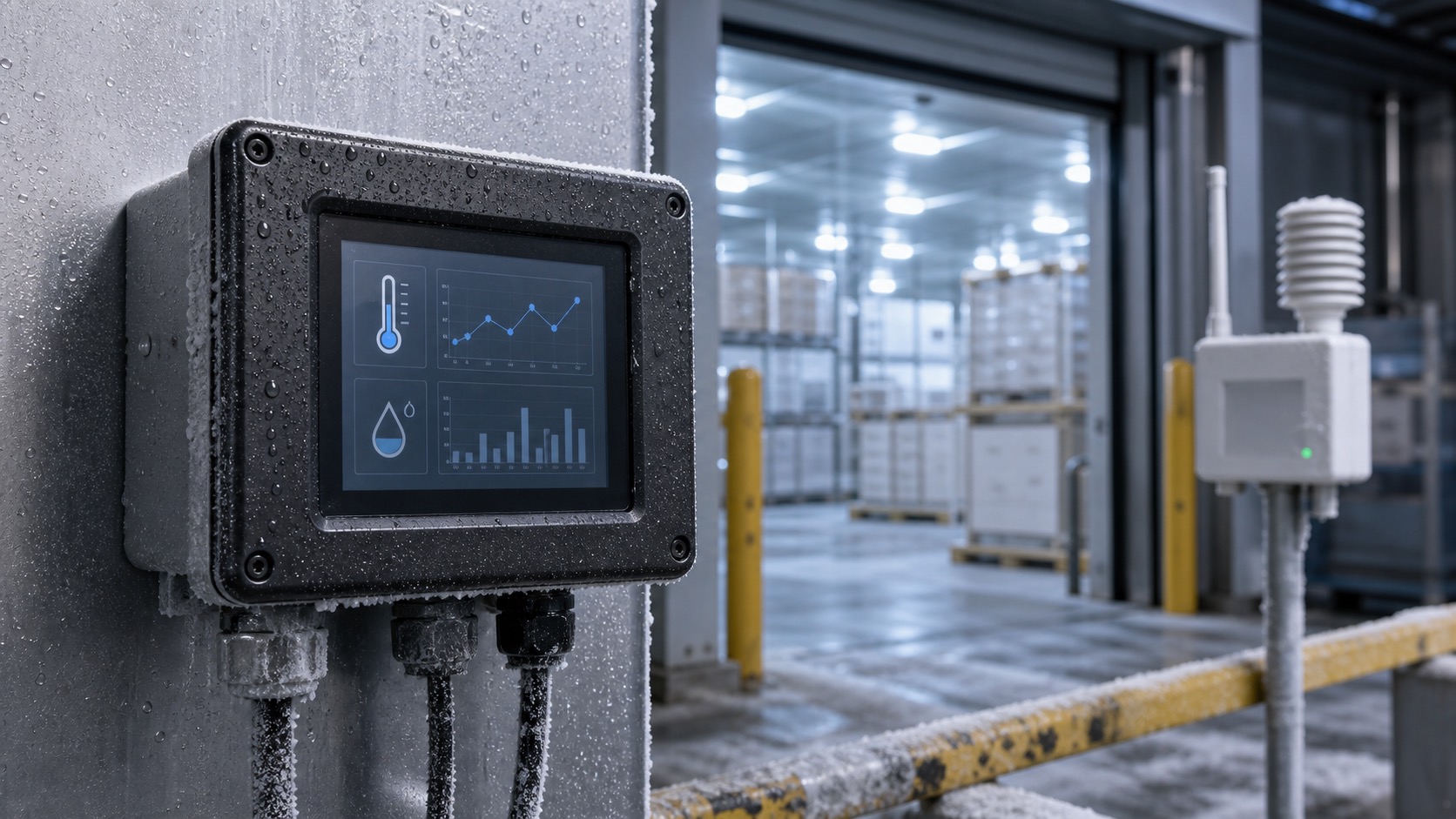
Cold chain and outdoor sensor products create a difficult display environment. A TFT may need to start after a cold soak, remain readable around condensation, survive temperature cycling, and operate from limited power. These products are often small, sealed, and installed where service access is inconvenient, which puts them close to the lifecycle concerns in an industrial TFT display.
Common examples include refrigerated storage monitors, vaccine transport loggers, outdoor weather stations, agricultural sensor gateways, utility monitors, and cold-room control terminals. In these applications, the display is often used for quick checks: current temperature, alarm state, battery level, network status, and recent history.
Temperature range is not only a number
Wide temperature TFT modules are commonly rated for -20C to +70C, -30C to +80C, or similar ranges. The rating is important, but the way the display behaves across that range matters too. At low temperature, LCD response can slow down. At high temperature, contrast and backlight life may be affected.
Cold start is especially important. A display may technically operate at low temperature but respond slowly for the first few minutes. If the user only needs occasional status checks, that may be acceptable. If the display shows alarms or live control, response time matters more.
Condensation and sealing
Cold chain equipment often experiences condensation when doors open, products move, or warm air meets cold surfaces. Condensation can reduce readability and may affect touch performance. The front design should avoid gaps where moisture can collect.
Optical bonding can help by eliminating the air gap where moisture might condense between the LCD and cover lens. A sealed cover glass also protects the display from cleaning and humidity. If the device is battery-powered, the seal must balance protection with the same power and service limits seen in battery-powered industrial devices.
Brightness and viewing angle
Cold rooms are not always dim. Some have strong LED lighting, reflective metal surfaces, or bright loading docks nearby. Outdoor sensors may face direct sun. Brightness should be selected according to installation, not only whether the device is indoors.
IPS displays are helpful when the terminal may be mounted high, low, or at an angle. A narrow viewing angle display can be frustrating if users check status while walking past or standing beside equipment.
Power management
Many sensor terminals run from batteries, solar input, or limited power supplies. The TFT backlight should not run continuously at full brightness unless the design truly needs it. Sleep mode, wake-on-button, motion wake, or scheduled display activation can extend operating time.
The UI should be efficient. A cold chain display usually does not need rich animation. Large numbers, clear alarms, and simple trend indicators are more useful than a complex dashboard.
| Requirement | Practical approach |
|---|---|
| Cold start | Test response time after cold soak |
| Condensation | Use sealed front design and consider bonding |
| Battery life | Add aggressive backlight dimming |
| Outdoor checks | Validate brightness and viewing angle |
| Alarms | Use clear text and color plus icons |
| Service | Show battery, sensor, and communication status |
Touch or no touch?
Many cold chain devices use physical buttons because gloves and moisture are common. Touch can work, especially PCAP with proper tuning, but it should be tested with wet fingers, gloves, and condensation. A hybrid design can be effective: buttons for daily actions and touch for setup pages.
If the product is used in regulated environments, accidental changes should be prevented. User levels, confirmation screens, and audit logs may be needed depending on the application.
Validation before deployment
Test the display as part of the complete device. Include cold soak, warm-up, humidity, cleaning, low battery, and communication failure. Check whether the screen remains readable when condensation forms on the front glass and whether alarms are visible from the expected distance.
For outdoor sensor nodes, test sunlight, shade, night operation, and battery recovery. A display that is readable only under perfect lab conditions will not support field technicians.
Data logging and alarm behavior
Cold chain devices often need to show more than the current temperature. Users may need to confirm whether an alarm is active, when it started, how long the excursion lasted, and whether the sensor is still connected. A small TFT can make these details available without a laptop.
The display should not overload the user with data. A practical layout might show current value, alarm state, battery level, and a simple trend indicator on the main screen. Detailed logs can sit behind a service menu. This keeps daily checks fast while still supporting audits and troubleshooting.
If the device supports multiple sensors, label them clearly. “Probe 1” and “Probe 2” may be enough during development, but real users need names that match the installation. Clear naming reduces mistakes when a refrigerator, trailer, or storage zone needs attention.
Procurement notes
Ask display suppliers about cold start response, polarizer behavior, storage temperature, backlight performance, and bonding compatibility. Some low-cost TFTs technically operate at low temperature but become too slow or low-contrast for real field use.
For regulated products, change control is important. If a display module changes optical behavior or viewing angle after approval, procedures and training material may need updates. Stable supply is part of reliability.
Human factors in cold environments
Cold chain users may wear gloves and work quickly. They may check the display while moving products or standing at a loading dock. Large text, simple alarm colors, and minimal navigation help more than a complex dashboard. The display should answer the first question immediately: is the product safe, or does someone need to act?
The display should also support service after long storage. Some cold chain devices sit unused between shipments, then need to start reliably when a route begins. Startup screens, battery warnings, and sensor connection checks should be clear enough for staff who may not use the device every day.
If the device is mounted outdoors, check the display after rapid weather changes. A cold morning followed by direct sun can stress the front stack and enclosure. Temperature range, sealing, and readability should be validated together.
FAQ
What temperature range is needed for cold chain displays?
It depends on the product, but -20C to +70C or wider is common. Cold start behavior should be tested, not assumed from the rating alone.
Is optical bonding useful in cold chain equipment?
Yes, it can reduce internal condensation risk and improve readability, especially when a cover lens or touch panel is used.
Should cold chain devices use touch screens?
Touch can work, but gloves, moisture, and accidental settings changes must be considered. Buttons or hybrid input may be better for simple devices.
What information should the display show?
Current reading, alarm state, battery status, sensor status, network state, and recent history are usually more useful than decorative graphics.